Synhelm for concrete and masonry contractors
Pours, walls, and flatwork — with the paperwork poured in.
Concrete and masonry crews move between sites fast and work to the drawing. Synhelm keeps the safety check, the current drawing, and the hours on each job.
Free for up to 5 crew · no card to start · one price per shop
What gets in the way
The paperwork concrete and masonry contractors shouldn’t be doing by hand.
Safety checks that happen on paper, if at all.
Required safety sheets run at every clock-in, with signatures kept as PDFs.
Crews working off an old detail.
Every revision stays in the blueprint reader; Compare shows what moved.
Hours spread over five sites.
Crew switch jobs in a tap, so timesheets show hours by site and client.
The tools you’ll use
Everything on the job, nothing you don’t need.
Safety sheets at clock-in
Your own checklists — ticks, yes/no, signatures, photos — answered at every clock-in and job change, and kept as signed PDFs.
Blueprint reader
Upload the PDF set and every page becomes a sheet to zoom and flip. Compare revisions, and mark up a copy to save, post in the job chat, or email.
Crew time clock
Crew clock in and out of a job from their own phone with a PIN — no app store, no email accounts. Switch jobs and take breaks in a tap.
Timesheets you can trust
Hours by job and client, a month calendar, overtime split when you set a daily cap, and a CSV for your bookkeeper.
Job photos
Photos land on the job, not in someone's camera roll. Mark them up on upload; they shrink on the phone so they send on a weak signal.
Estimates that win work
Your logo and colour on clean paper, with deposits, discounts, and tax. Email the PDF from the app; replies come back to you.
Invoices and reminders
Turn the estimate into the job and the job into the invoice without retyping a line. Record partial payments and see what's owed.
Job costing
ProLabour at each person's rate plus expenses against the price, so you see the margin on every job while it's running.
Something you’ll never use? Turn it off in Settings and it leaves your menu. See every feature.
- Do my crew need to download an app?
- No. They open one link or scan your QR code on any phone and sign in with a PIN. You can add it to their home screen so it opens like an app.
See it in the app
Real screens from Synhelm, not mock-ups.
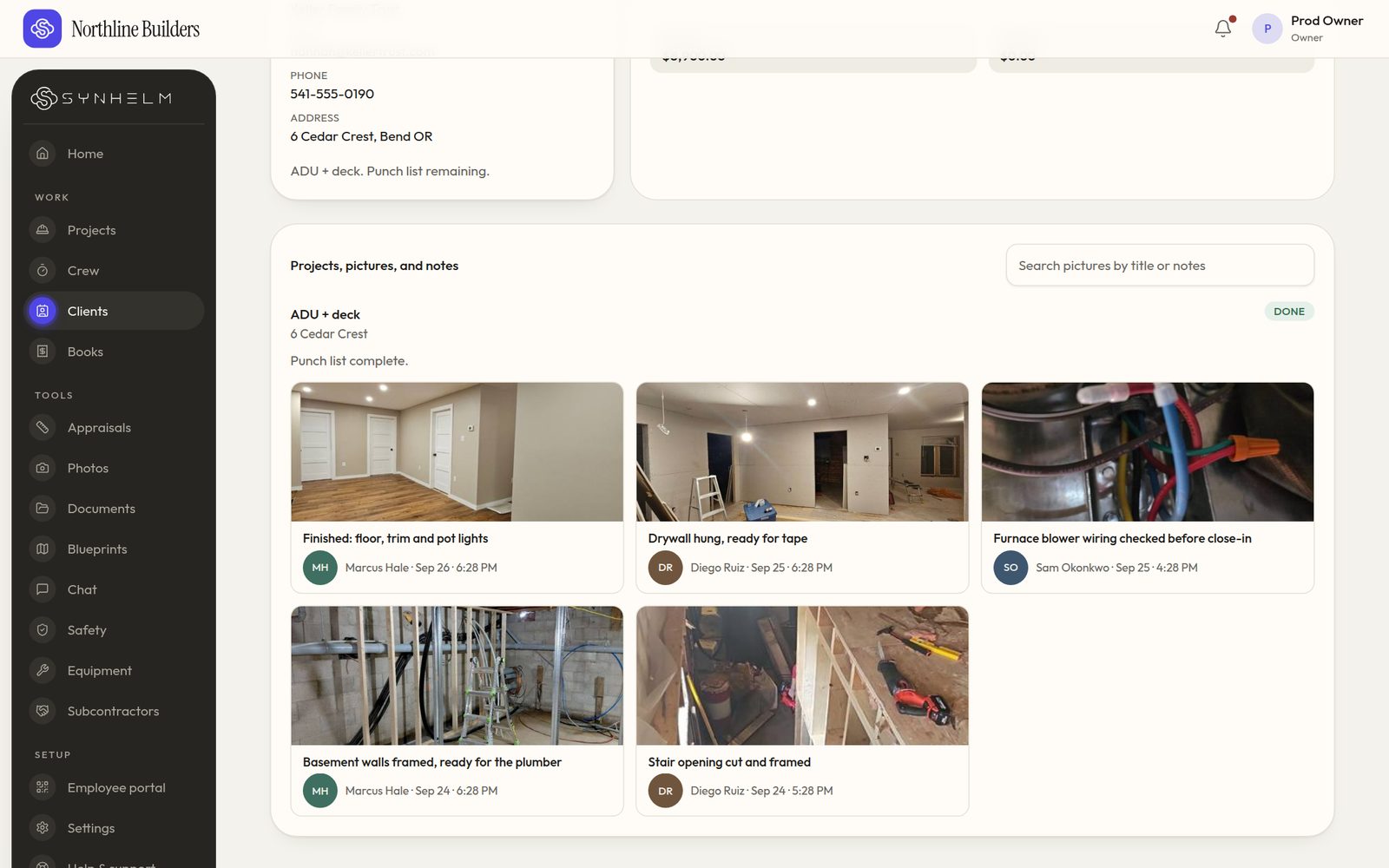
Every photo lands on the client fileFraming to finish, with who took each photo and when. 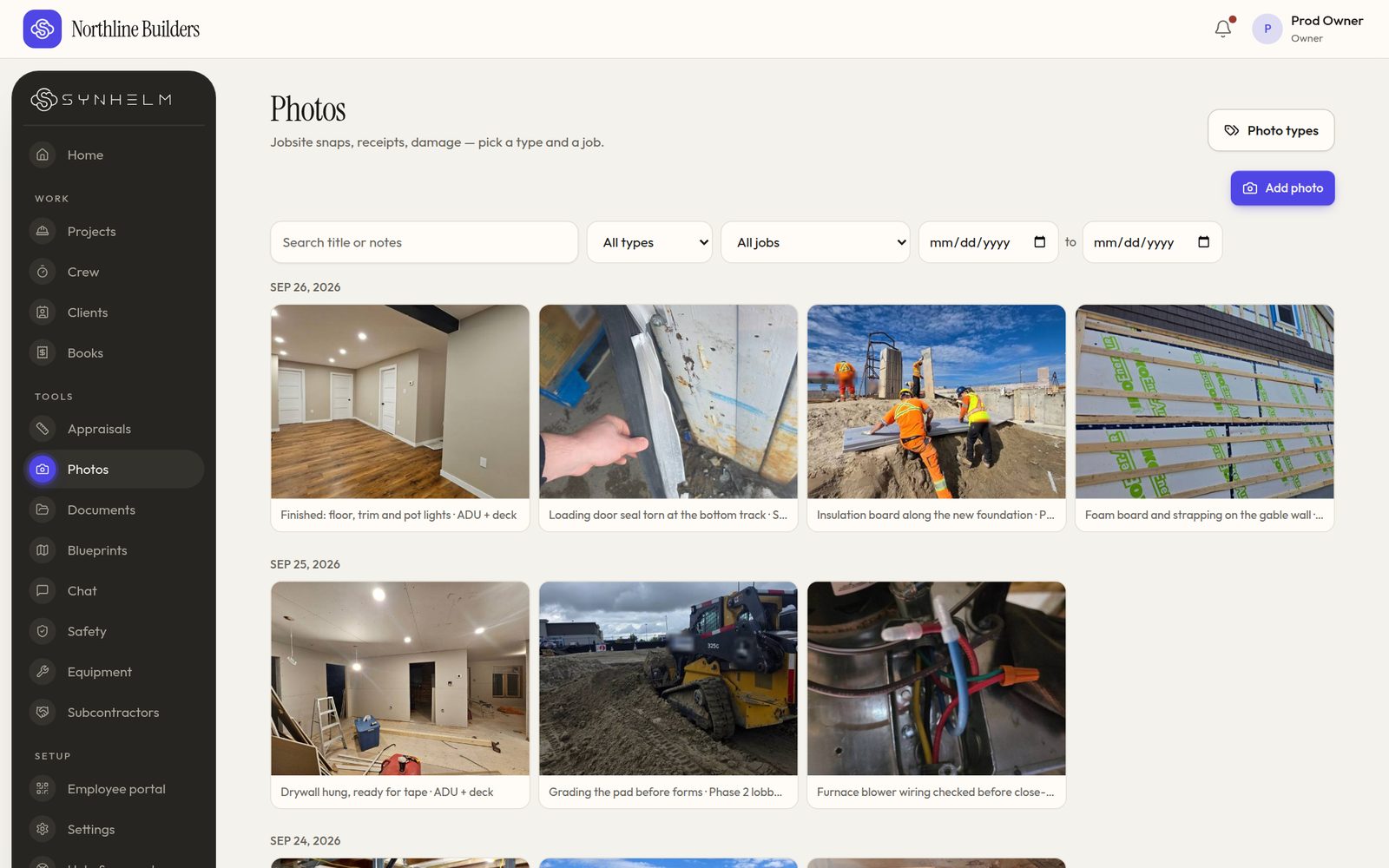
Photos by day, type and jobSearch, filter by job or type, and pick a date range. 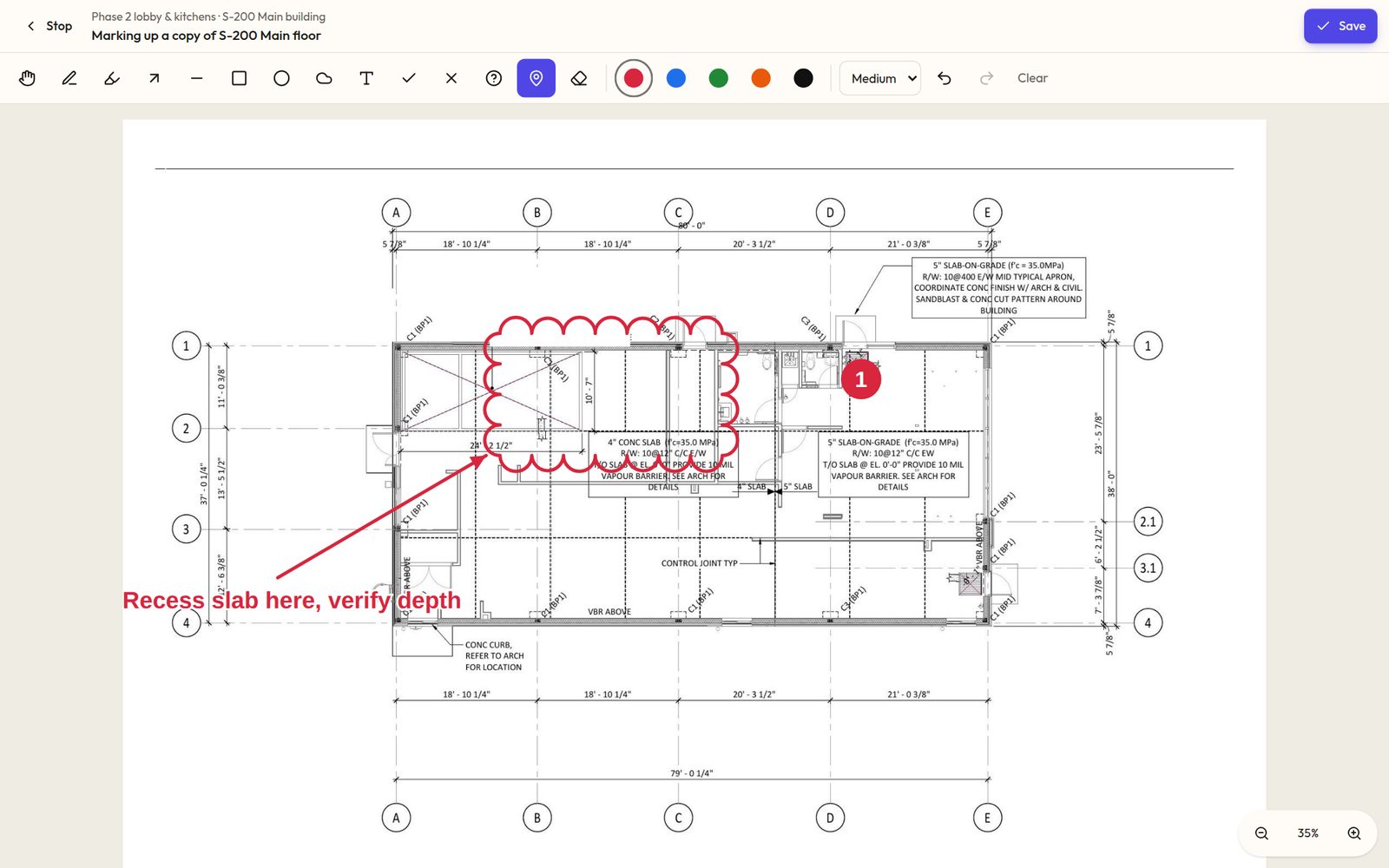
Mark up a copy, never the sheetClouds, arrows, pins and notes, drawn on a copy of the sheet. 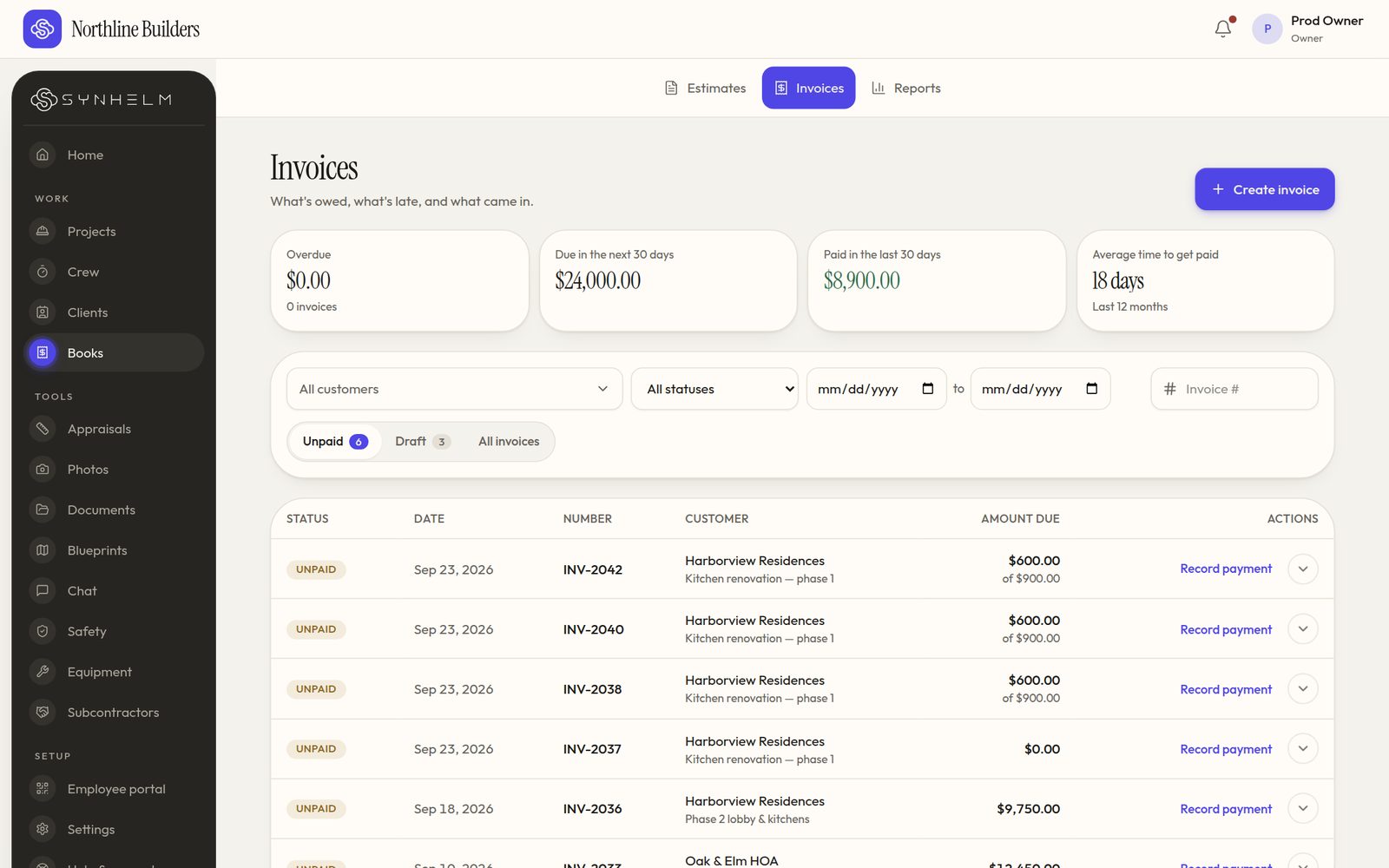
Know what's owed at a glanceOverdue, due soon, paid, and the next step on every row. 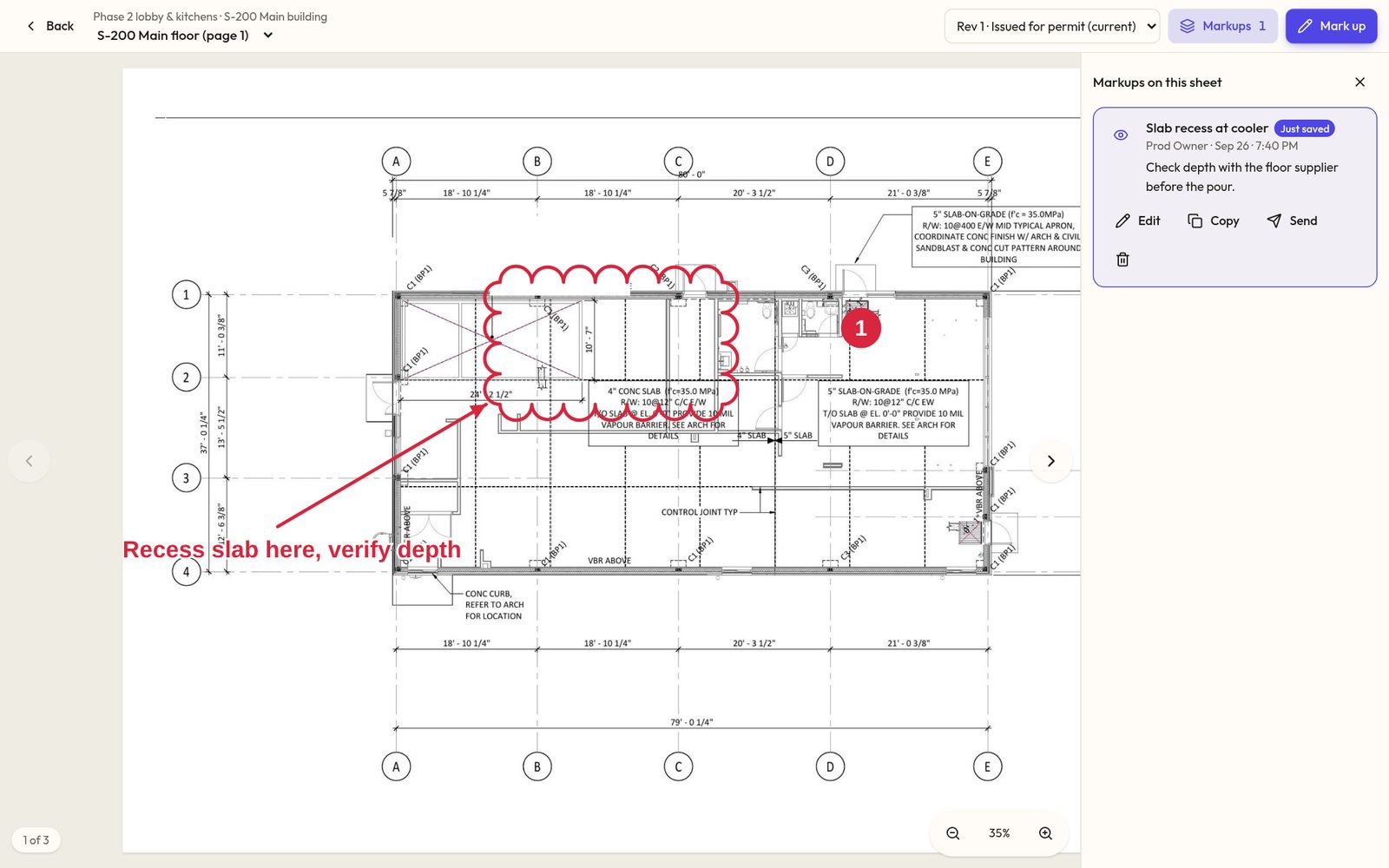
Saved where you can find itMarkups list beside the sheet, ready to send to the crew or the architect. 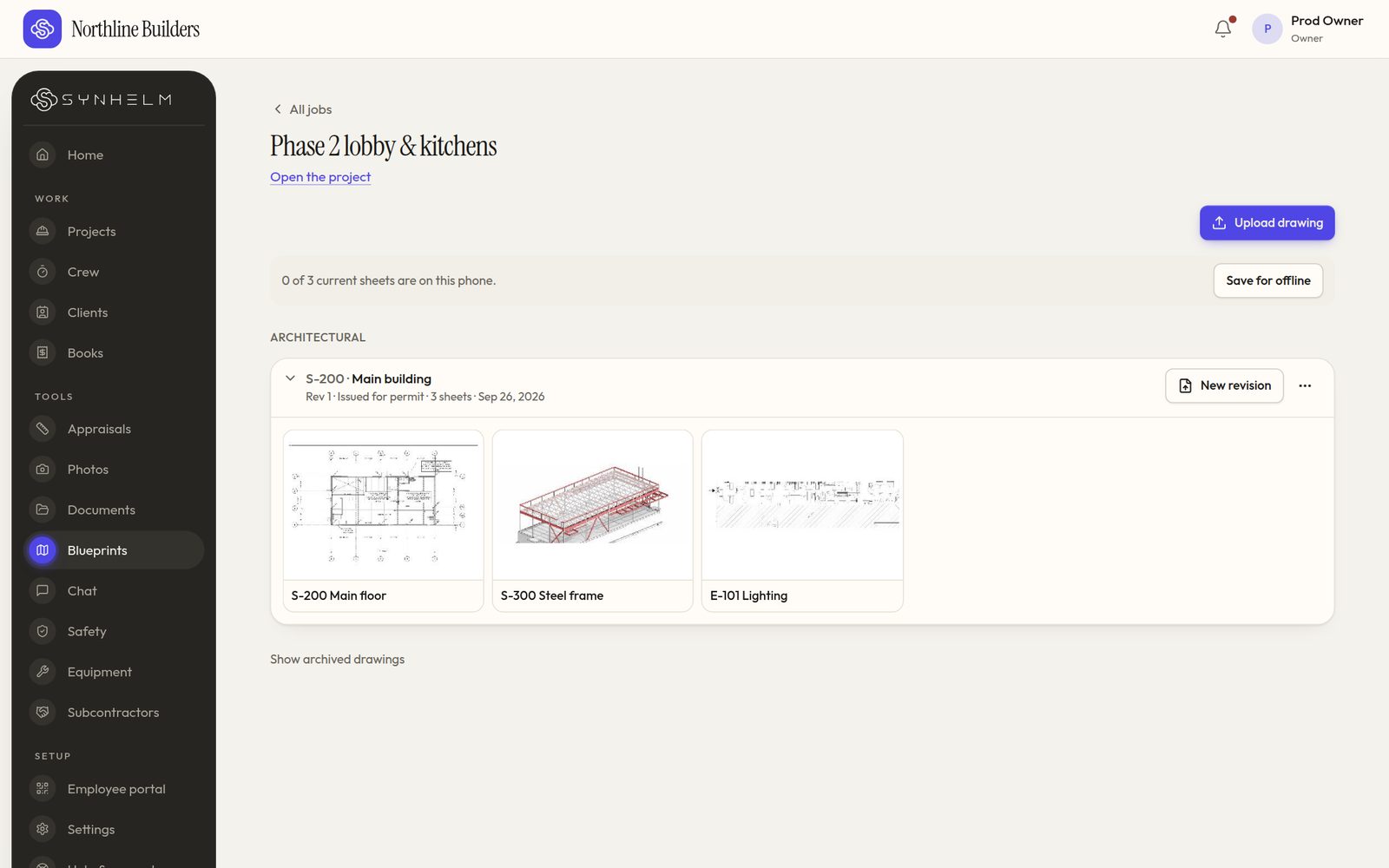
Every drawing set, one tap awayEach set folds into one line per job. Tap it to see the sheets.
Run your concrete & masonry business from one app.
Set up your shop in a few minutes. Add your logo, your crew, and your first job — the rest follows the job.