Construction safety sheets that actually get filled in.
In Synhelm your safety sheets are part of clocking in. The crew answer them on their phone before the first punch and at every job change, with signatures and photos, and every signed sheet is kept.
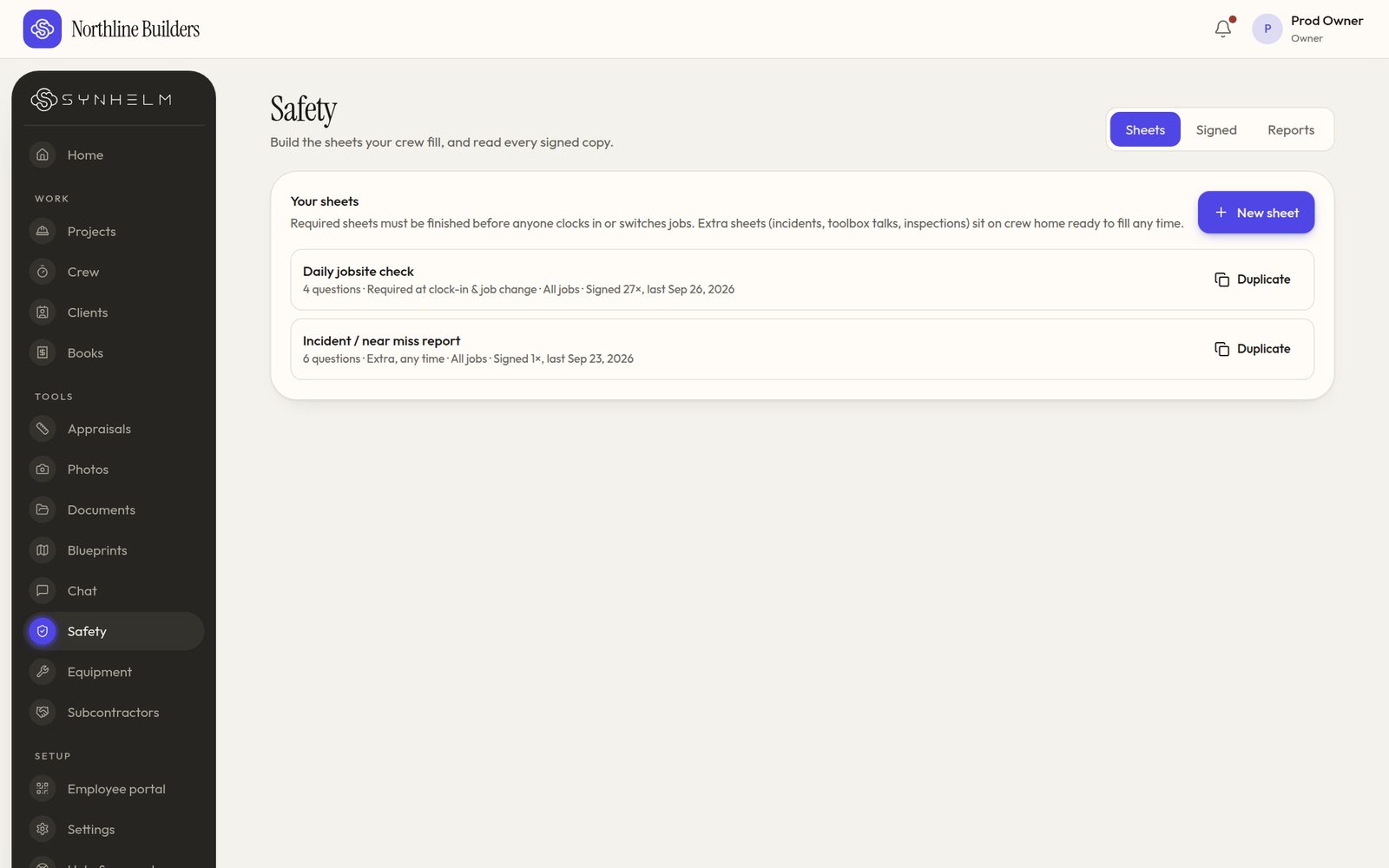
Sheets you build, required at clock-in or filled any time.
The problem: paper sheets that get skipped or lost
Hazard assessments on paper get filled in at the end of the day, or not at all, and finding last month's sheet for one job means digging through a truck.
How Synhelm handles it
You build the sheets: checks, yes/no, text, dates, choices, signatures and photos. Require them at every clock-in and job change, or once per job per day. Extra sheets, like an incident report, can be filled any time.
Answers that need a look come to the office. Every signed sheet opens in full and downloads as a PDF.
What you get
Your own sheets
Start from a template or from scratch; duplicate to make variations.
Required at clock-in
Before the first punch and at every job change, or once a day.
Signatures and photos
Captured on the phone, kept with the sheet.
Signed sheets as PDFs
Open any signed sheet in full and download it.
Certificates
Expiry warnings, and an option to stop clock-in on an expired certificate.
Safety reportsEnterprise
A monthly view of sheets signed and answers flagged.
Who it's for: Contractors who need hazard assessments, toolbox talks or incident reports done on every job, without chasing paper.
Questions
- Does Synhelm make me compliant?
- No software can promise that. Synhelm makes it easy to require the sheets you decide on and to keep the signed records. What goes on the sheets is up to you and the rules where you work.
- Can I use my own form?
- Yes. Build the questions you already use: checks, yes/no, text, dates, choices, signatures and photos.
- Is it included in the free plan?
- Yes. Safety sheets are in every plan.
How it connects to the rest of Synhelm
One job, everything attached. Each part below works on the same job.
Built because we needed it. Now it's yours.
Set up your shop in a few minutes. Add your logo, your crew, and your first job — the rest follows the job.