Construction invoicing that starts from the job.
In Synhelm the invoice comes from the estimate and the job, so the lines are already there. The Invoices list shows what's overdue, what's due soon and what came in, with the next step on every row.
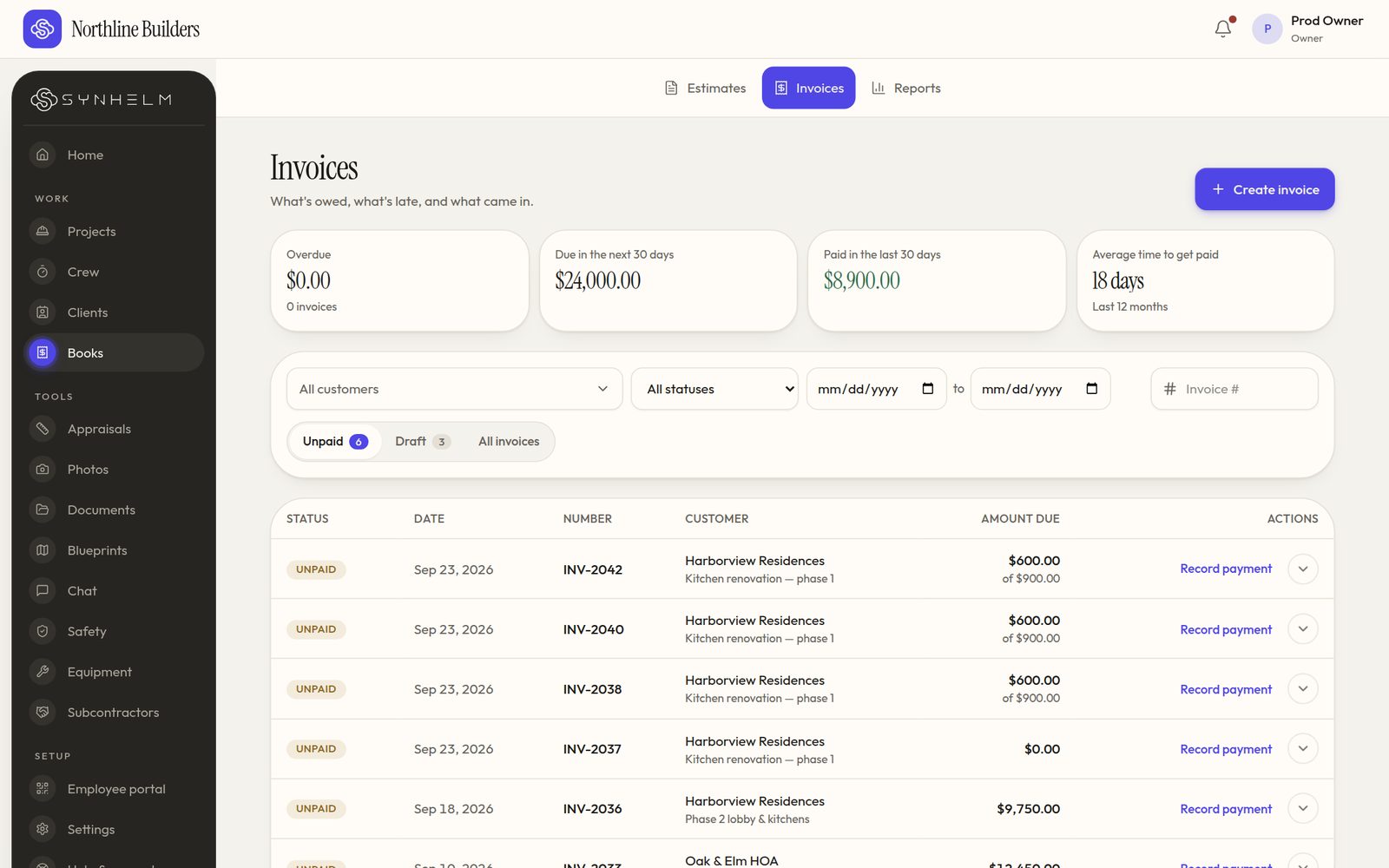
Overdue, due soon, paid, and the next step on every row.
The problem: invoices go out late, and money gets chased by memory
When invoicing lives in a separate tool, it waits until someone has time to type it up. Then nobody is quite sure which ones are late or partly paid.
How Synhelm handles it
Turn the estimate or job into an invoice in one step, send the PDF by email, and record payments as they arrive: cash, cheque, e-transfer, or card at your own terminal. The balance updates.
For bigger jobs, bill a deposit, then progress to a percent complete with holdback (retainage) worked out for you.
What you get
Invoice from the job
Lines carried over from the estimate; no retyping.
Partial payments
Record what came in and see the balance due.
At a glance
Overdue, due in the next 30 days, paid in the last 30, average days to get paid.
Reminders and repeating invoicesPro
Polite automatic reminders, and invoices that repeat on a schedule.
Deposits, progress and holdbackPro
Progress billing to a percent complete, with holdback kept and released.
Bookkeeper exportPro
Files QuickBooks Online and Xero can import.
Who it's for: Contractors who invoice homeowners, property managers and general contractors, and want to stop chasing payments from memory.
Questions
- Can clients pay by card online?
- Card payments on invoices are opening soon. Today you record payments as they come in and the balance updates.
- Does it replace my accounting software?
- No. Synhelm handles estimates, invoices and payments received. On Synhelm Pro you can export them for QuickBooks Online or Xero.
- Does it handle holdback or retainage?
- Yes, on Synhelm Pro: deposit, progress-to-a-percent and holdback invoices, with the held amount released when you're ready.
How it connects to the rest of Synhelm
One job, everything attached. Each part below works on the same job.
Built because we needed it. Now it's yours.
Set up your shop in a few minutes. Add your logo, your crew, and your first job — the rest follows the job.