Synhelm as a Jobber alternative for construction crews.
Jobber is well-known software for home service businesses. Synhelm is built for contractors whose crews spend days or weeks on a job site. Here's how the approaches differ, so you can pick what fits your shop.
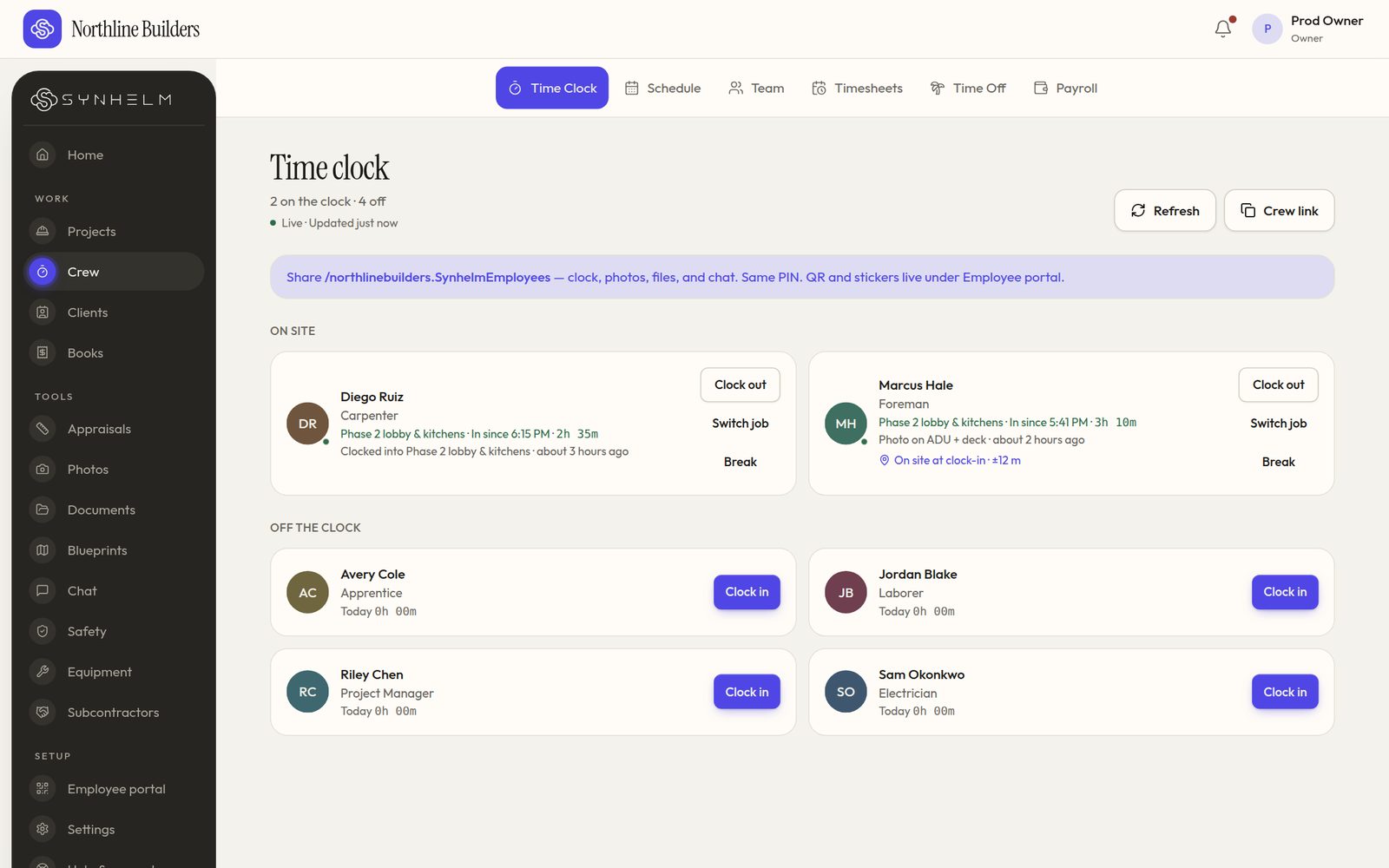
Who's on site now, on which job, and for how long.
Two different starting points
Jobber starts from the service visit: quoting, scheduling, invoicing and client communication for home service companies.
Synhelm starts from the job site: the crew clock in to the job with a PIN and finish the safety sheet, and hours, photos, drawings, estimates and invoices all attach to that job.
What Synhelm adds for construction crews
Safety sheets signed at clock-in and at every job change, a blueprint reader the crew opens on their phone, and deposit, progress and holdback billing on the job.
Crew sign in with a PIN from one shop link, with no app store download or crew email, and punches and photos wait on the phone when there's no signal.
What Synhelm does
Job-site time clock
Hours by job and client, breaks, and job switches from the crew's own phone.
Safety at clock-in
Your safety sheet before the first punch and at every job change, signed and kept.
Blueprint reader
PDF plan sets, revisions, compare and markups on the job.
Estimates and invoices
Estimate to job to invoice without retyping a line.
Progress billingPro
Deposits, progress invoices, holdback and change orders signed online.
One price per shop
Free for 5 crew; paid plans priced per shop, not per person.
Who it's for: Contractors deciding between home-service software and an app built for job-site crews.
Which one fits your shop?
Jobber may fit better if…
- Most of your work is short, repeat home-service visits scheduled day to day
- You want your software centred on quoting, scheduling and client communication
Synhelm may fit better if…
- Your crews spend days or weeks on one job site
- You need safety sheets at clock-in and drawings on the crew's phones
- You bill in stages: deposits, progress and holdback
Jobber is a trademark of its owner. Synhelm isn't affiliated with it. For their current features and pricing, check their own website.
Questions
- Can I move my clients and crew over?
- Yes. Import your clients and crew from a spreadsheet; each crew member gets a PIN. Past records stay in the app you used before.
- How does Synhelm pricing work?
- Synhelm is free for up to 5 crew. Synhelm Pro is $79.99 CAD a month per shop, not per person. Check Jobber's own website for their current plans.
- Is Synhelm affiliated with Jobber?
- No. Jobber is a trademark of its owner. This page describes Synhelm and general, publicly described differences in approach.
How it connects to the rest of Synhelm
One job, everything attached. Each part below works on the same job.
Built because we needed it. Now it's yours.
Set up your shop in a few minutes. Add your logo, your crew, and your first job — the rest follows the job.