Our story
Built by a contractor who's still on the tools.
Synhelm was made by Max, who runs a contracting business and still works on site with his crew. He was paying for three different apps to get the handful of features he actually used, so he built one that does exactly that.
Three apps, three logins, three bills. Photos in one, crew and hours in another, estimates and invoices in a third. Each one did a hundred things. We needed a few of them, working together, on the jobs we were already running.
So we built the few things that matter, and made them talk to each other. The job sits in the middle. The crew clock in to it with a PIN. Photos, safety sheets, tasks and hours land on it. The estimate becomes the job, and the job becomes the invoice, without typing a line twice.
It runs our own jobs first. Our own crew uses Synhelm every day, so every screen gets used on a real site, by a real crew, before it reaches you.
No bloat, no AI gimmicks
If a feature doesn't help the crew get through the day or help the owner get paid, it doesn't go in. Just a reliable app that works with you.
Made for the site
Big buttons, a PIN instead of passwords, and it keeps working with weak signal. Punches and photos send when the phone reconnects.
Priced for a real shop
Free for up to 5 crew. After that, one price per shop, not per person. See Synhelm Pro and Enterprise on the pricing page.
See it in the app
Real screens, not mock-ups.
What your crew and your office see, on a phone and at a desk.
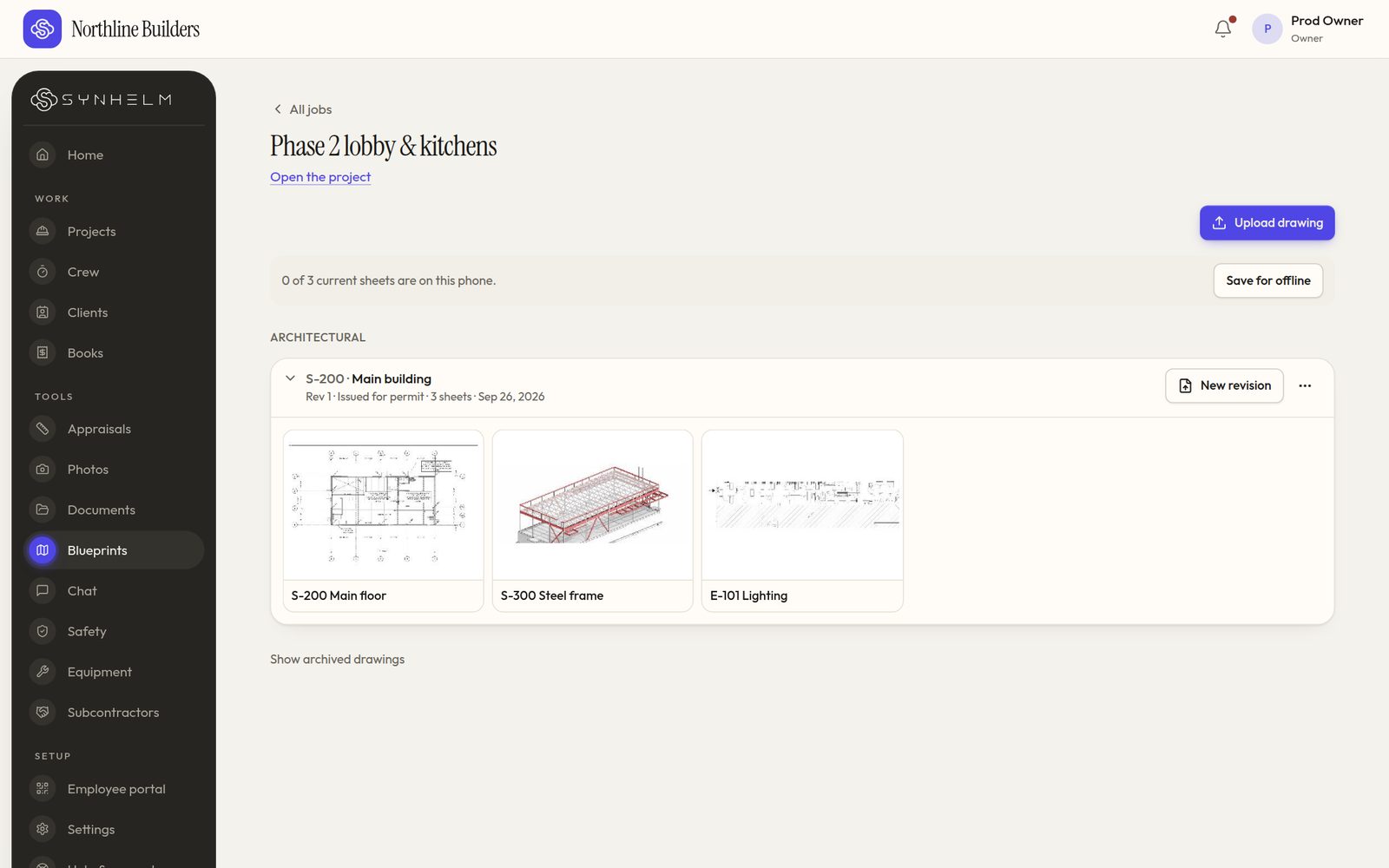
Every drawing set, one tap awayEach set folds into one line per job. Tap it to see the sheets. 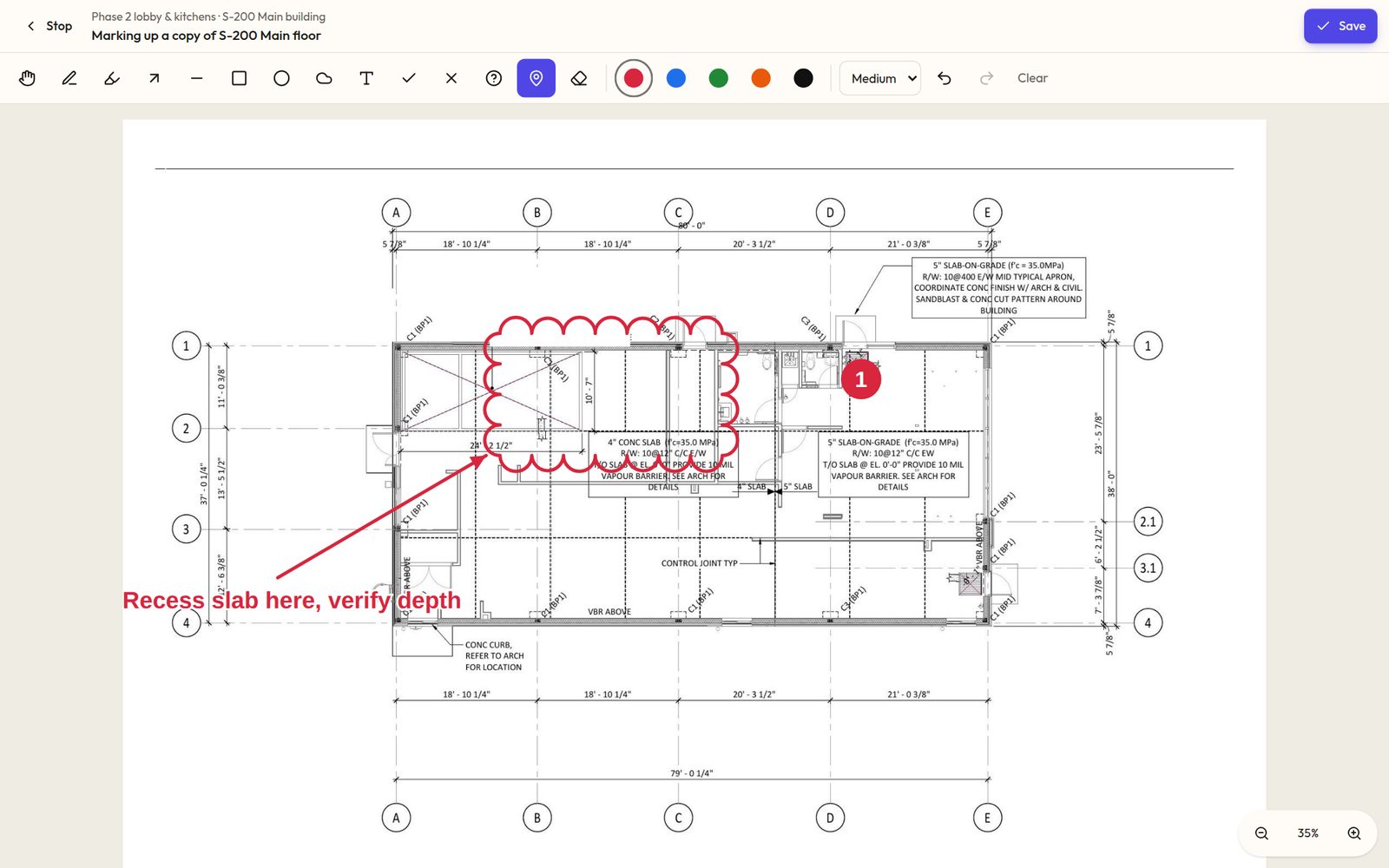
Mark up a copy, never the sheetClouds, arrows, pins and notes, drawn on a copy of the sheet. 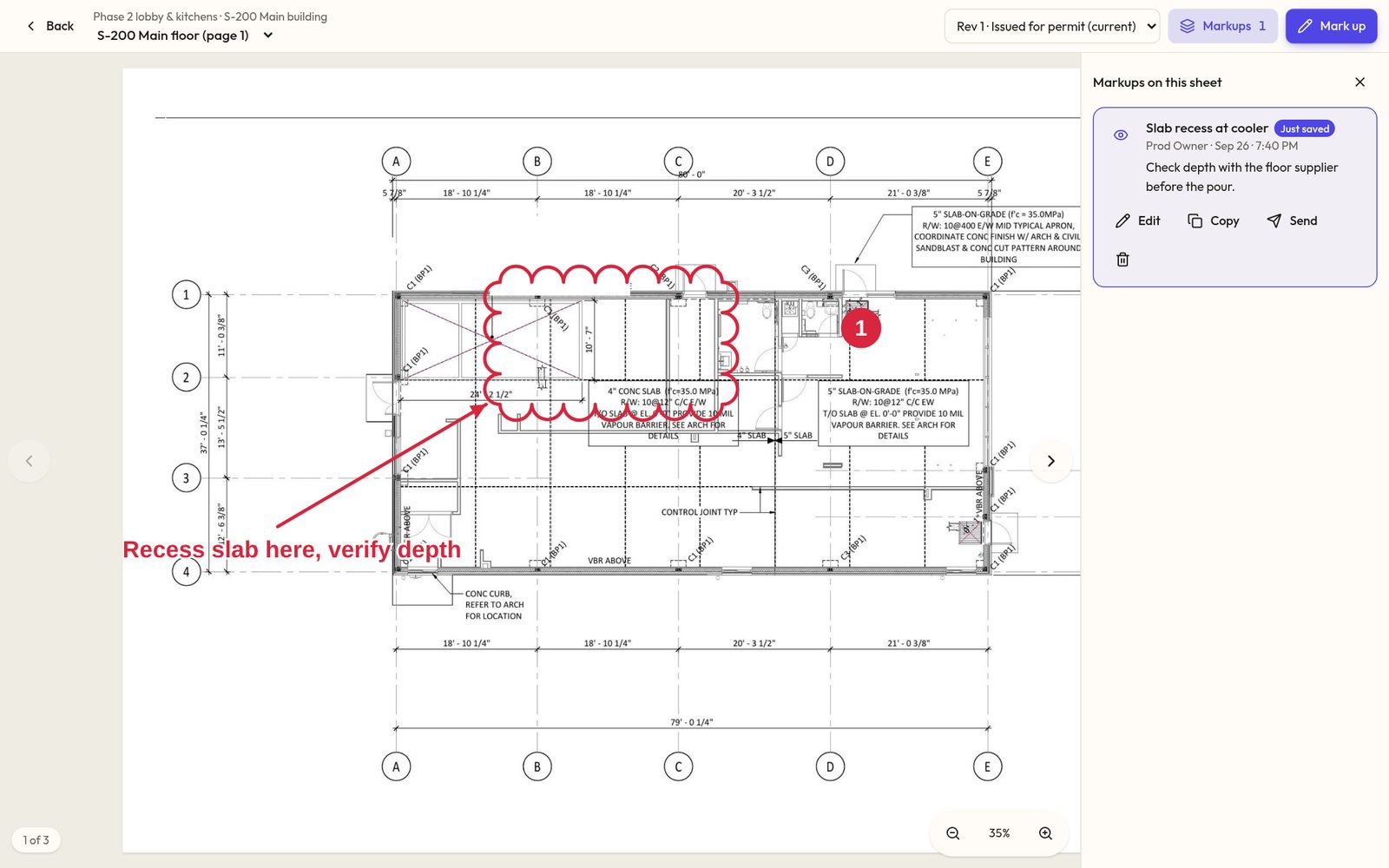
Saved where you can find itMarkups list beside the sheet, ready to send to the crew or the architect.
See what it does: Features · How it works · Pricing
One app instead of three.
Set up your shop in a few minutes. Add your logo, your crew, and your first job — the rest follows the job.