Synhelm for plumbers
Plumbing jobs that go from call to invoice without the paperwork.
Service calls, renos, and new builds all end the same way: someone has to know what was done, how long it took, and what to bill. Synhelm keeps that on the job as it happens.
Free for up to 5 crew · no card to start · one price per shop
What gets in the way
The paperwork plumbers shouldn’t be doing by hand.
Nobody remembers what was behind the wall.
Photos go on the job with the date, so the next person sees exactly what was found and fixed.
Hours written on the back of a receipt.
Crew clock into the job from their phone; the office sees who is on site right now.
Invoices that wait until Friday night.
The job becomes the invoice in one step, with parts and labour lines carried from the estimate.
The tools you’ll use
Everything on the job, nothing you don’t need.
Crew time clock
Crew clock in and out of a job from their own phone with a PIN — no app store, no email accounts. Switch jobs and take breaks in a tap.
Job photos
Photos land on the job, not in someone's camera roll. Mark them up on upload; they shrink on the phone so they send on a weak signal.
Tasks on the job
Tasks belong to a job with an assignee, a due date, and instructions. Crew tick them off from their phone.
Estimates that win work
Your logo on clean paper, with deposits, discounts, and tax. Email it from the app; clients approve and sign online, and replies come back to you.
Invoices and payments
Turn the estimate into the job and the job into the invoice without retyping a line. Record partial payments and see what's owed.
Job chat
Every job has its own conversation with the crew on it, so the office and the field talk about the same thing.
Weekly crew schedule
Put people on jobs day by day, drag to change, and copy last week in one click. Each person sees their own days on their phone.
Timesheets and payroll export
ProHours by job and client, with week, pay period, and month views. Export them for payroll software, with overtime by your local rules.
Something you’ll never use? Turn it off in Settings and it leaves your menu. See every feature.
- Can I send invoices by email from Synhelm?
- Yes. Invoices go out as a PDF with your logo from the app, and replies come back to your own email.
- Can I see who is on a job right now?
- Yes. The time clock shows who is on site and on which job, with their hours today.
- Do my crew need to download an app?
- No. They open one link or scan your QR code on any phone and sign in with a PIN. You can add it to their home screen so it opens like an app.
See it in the app
Real screens from Synhelm, not mock-ups.
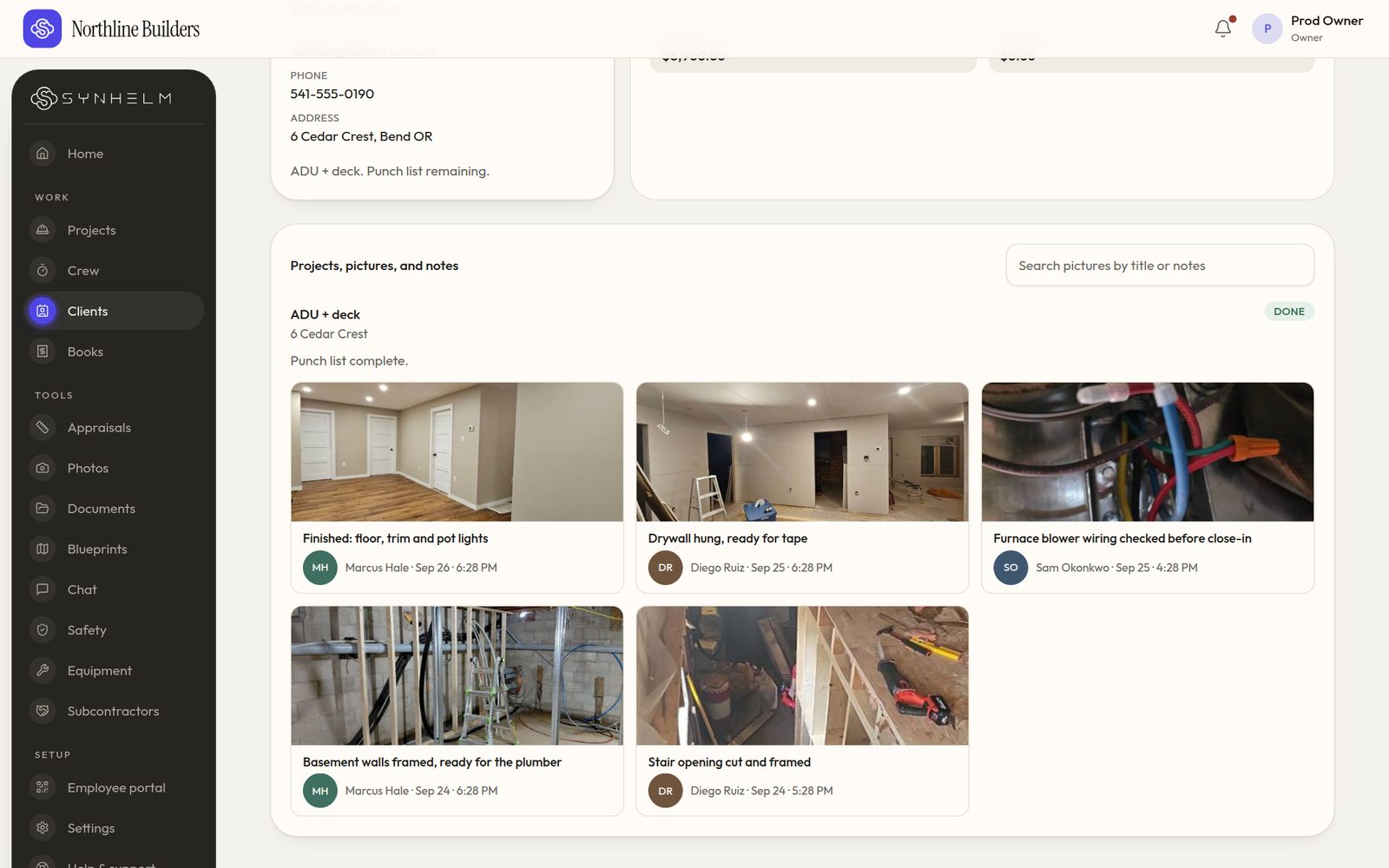
Every project for a client in one placeTheir details, then every project: active first, finished below. 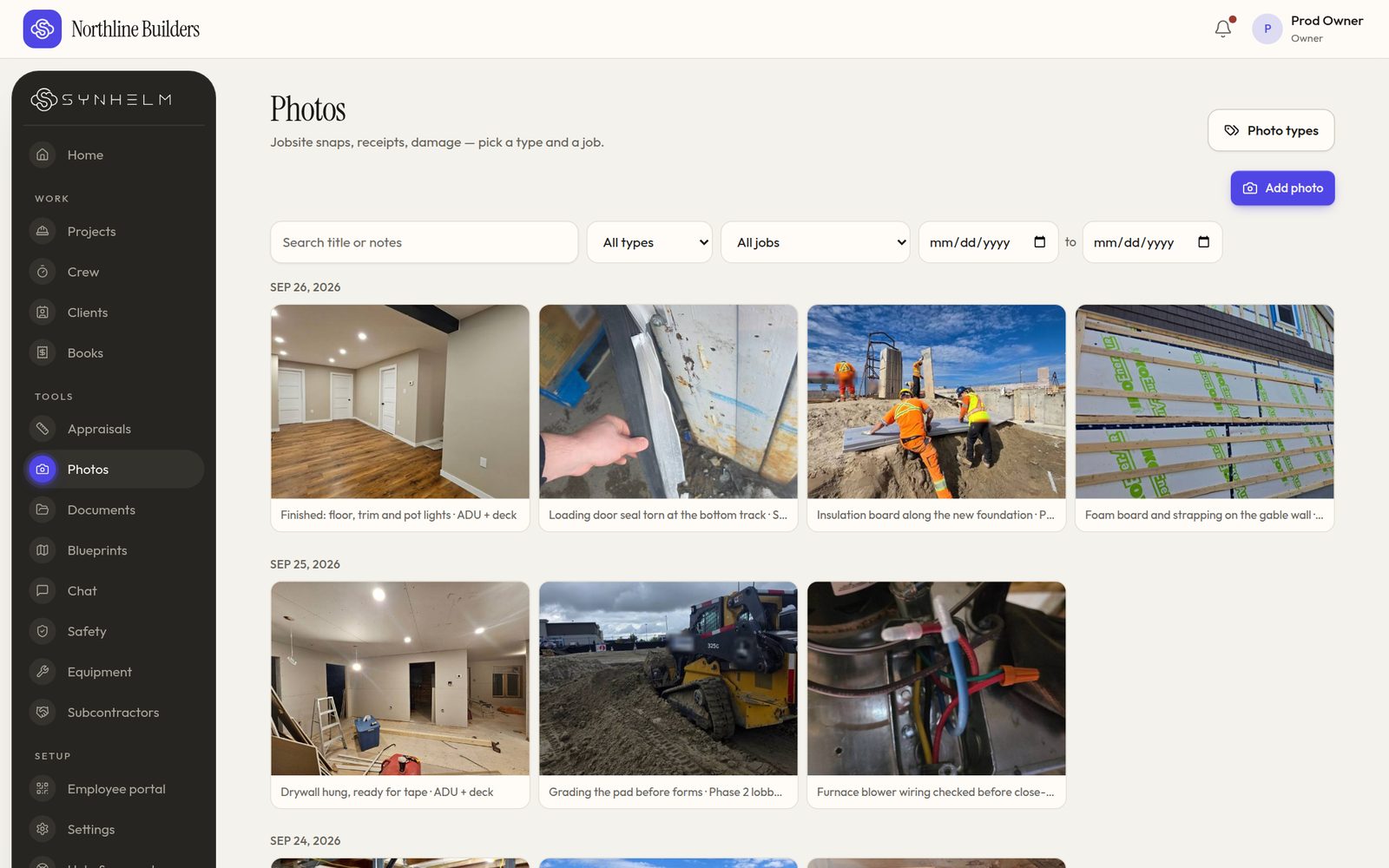
Photos by day, type and jobSearch, filter by job or type, and pick a date range. 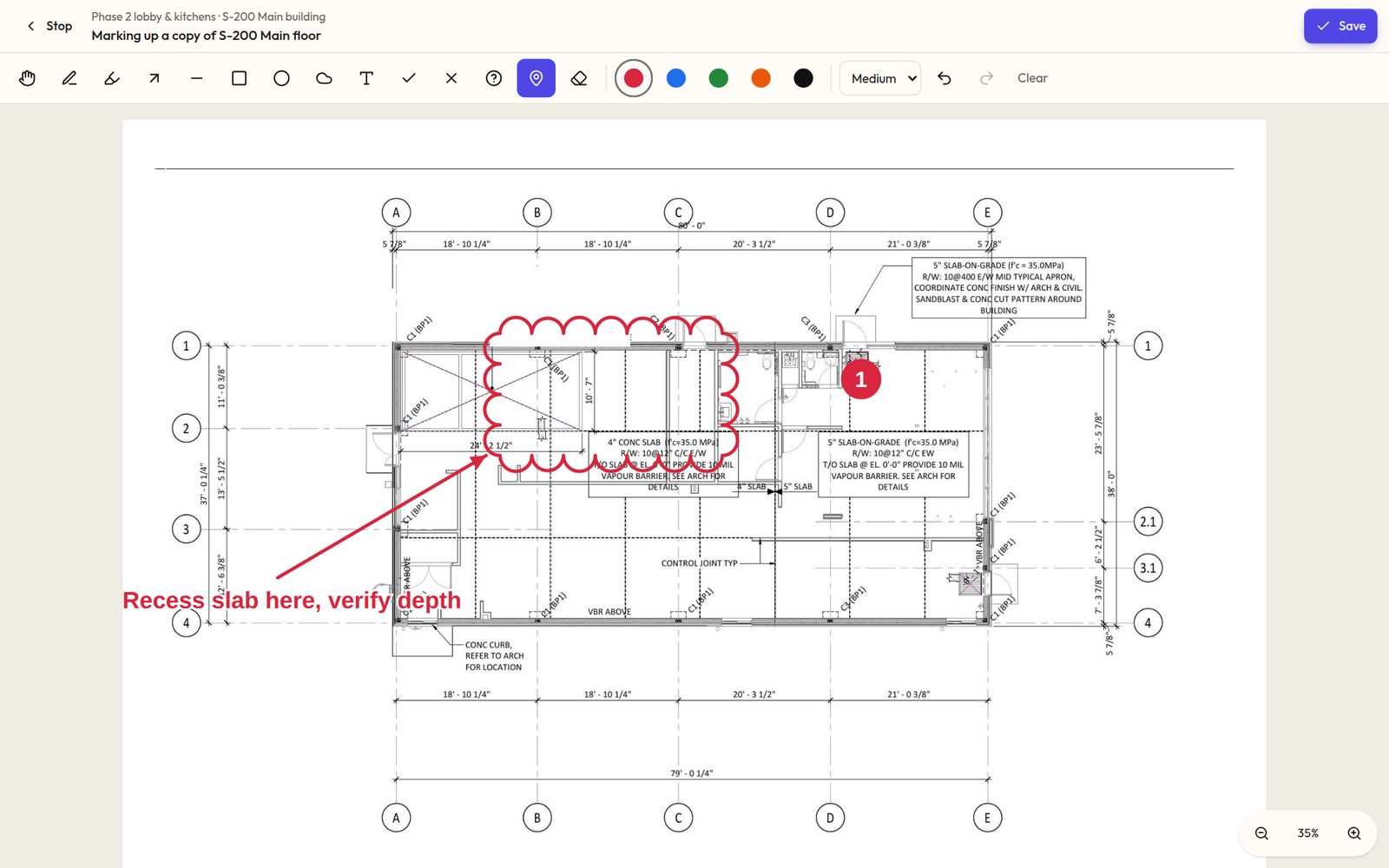
Mark up a copy, never the sheetClouds, arrows, pins and notes, drawn on a copy of the sheet. 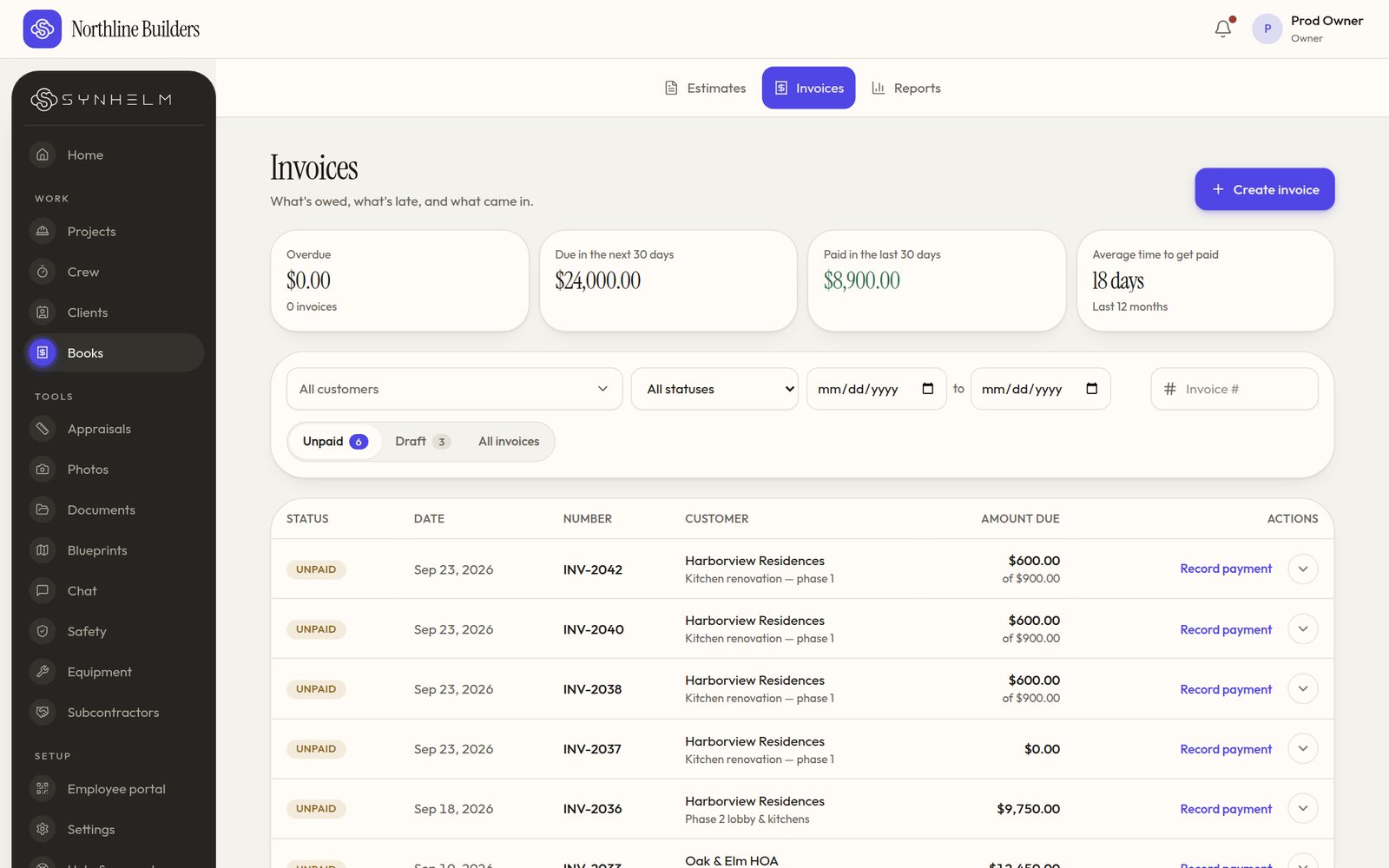
Know what's owed at a glanceOverdue, due soon, paid, and the next step on every row. 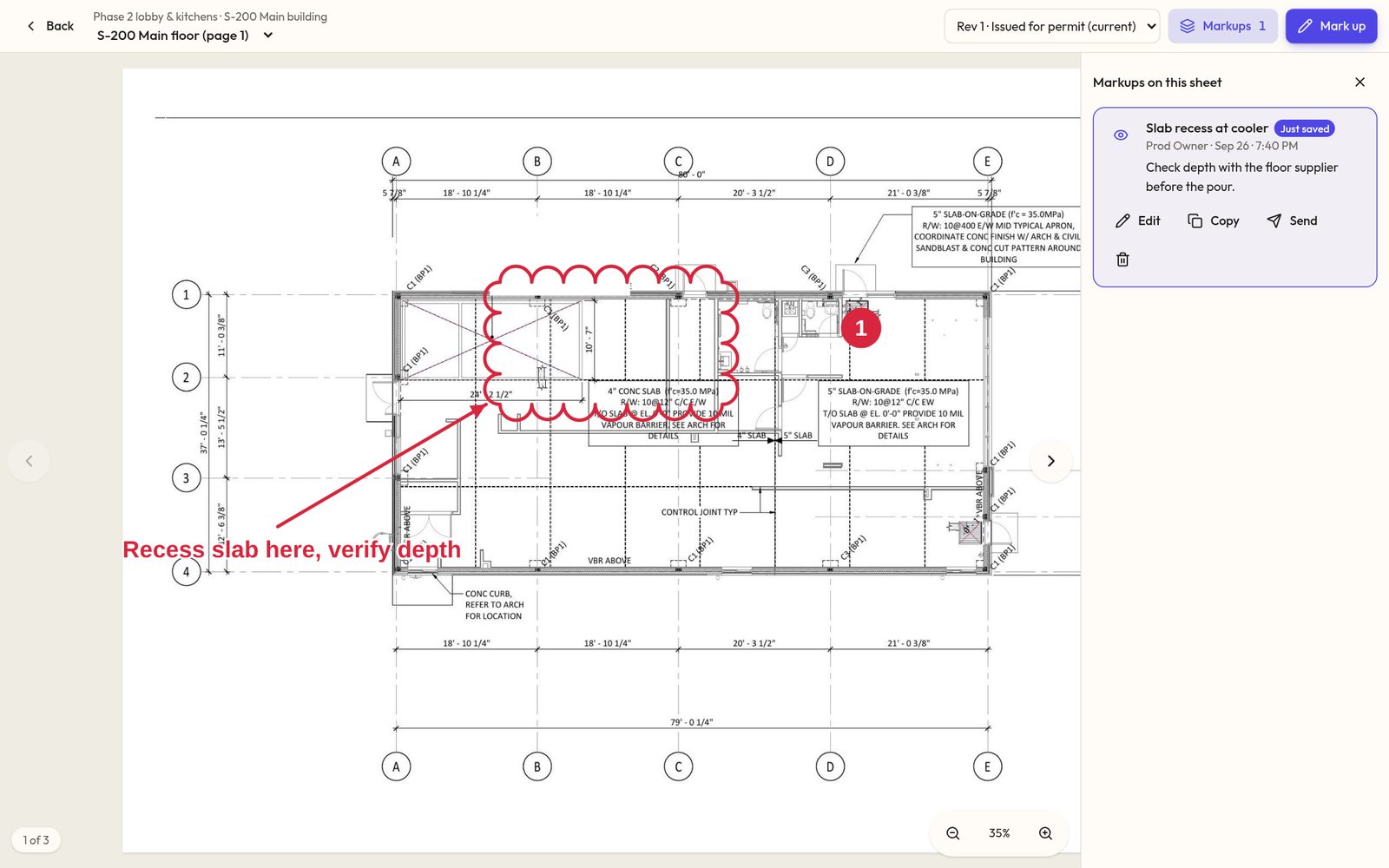
Saved where you can find itMarkups list beside the sheet, ready to send to the crew or the architect. 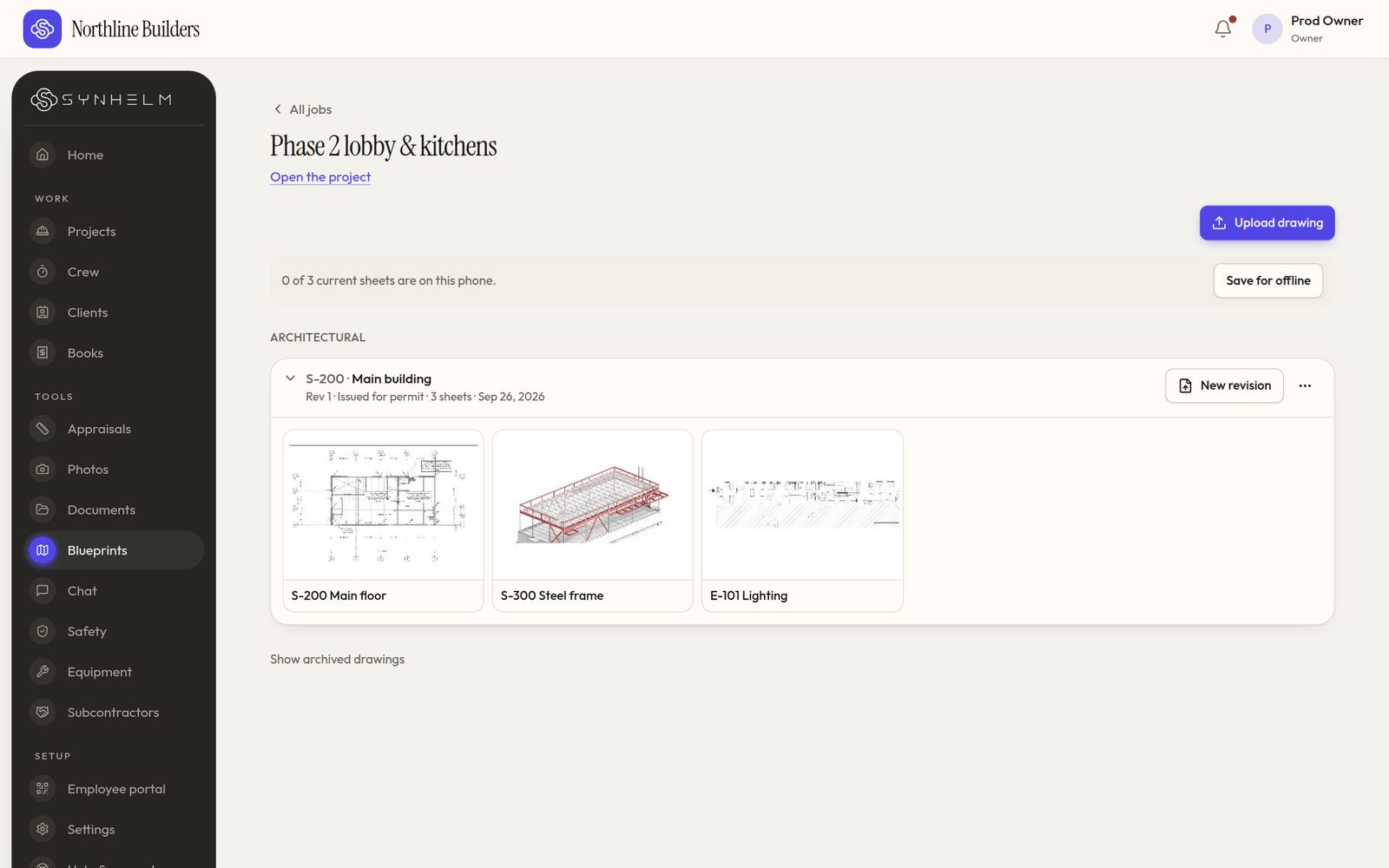
Every drawing set, one tap awayEach set folds into one line per job. Tap it to see the sheets.
One app for plumbers, from the job site to the invoice.
Set up your shop in a few minutes. Add your logo, your crew, and your first job — the rest follows the job.