Jobsite photos that land on the job, not in a camera roll.
In Synhelm the crew add photos from their phone to the job they're on. The office sees them on the job and the client file, and can send the client an update with the latest ones.
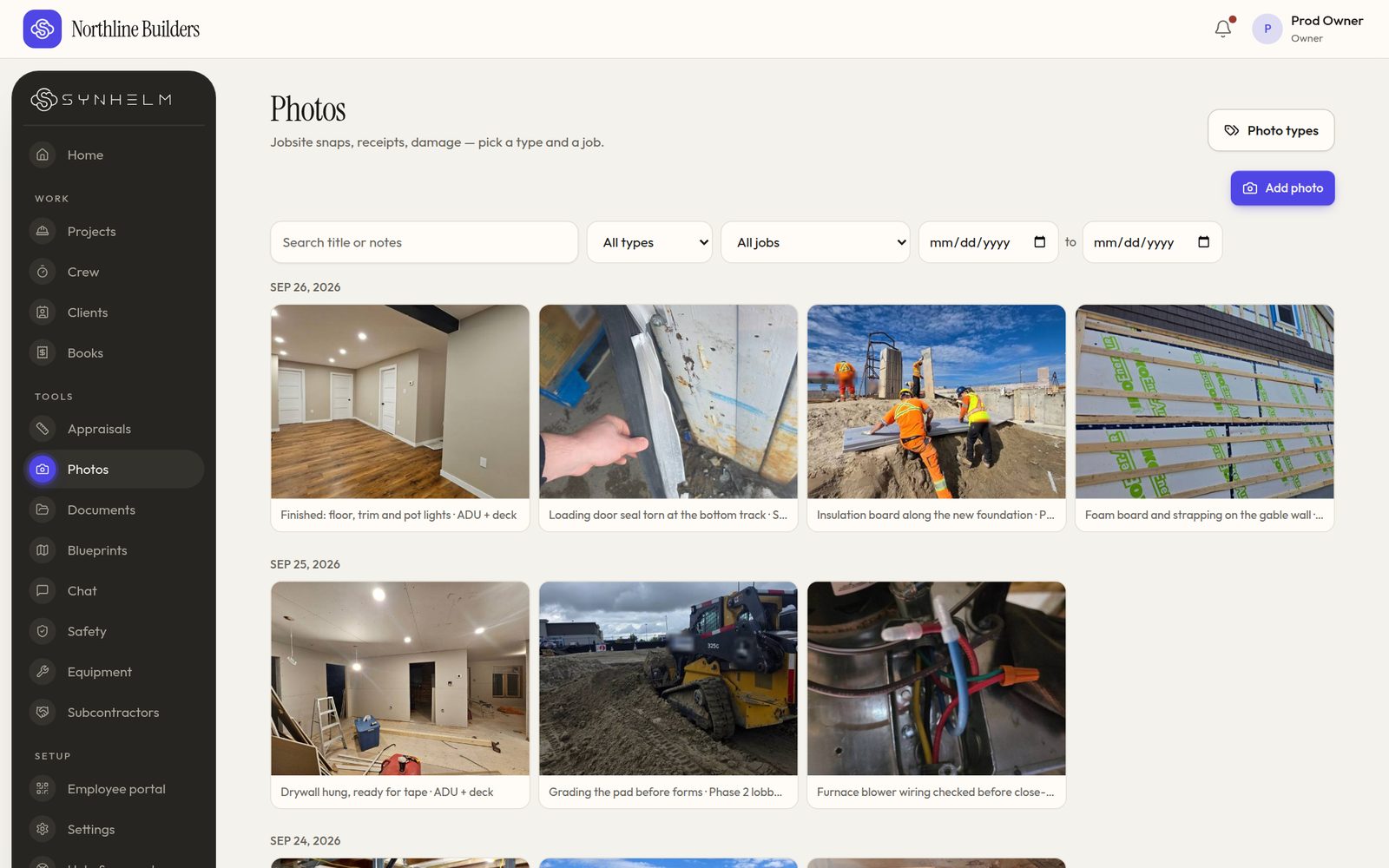
Search, filter by job or type, and pick a date range.
The problem: photos scattered across phones and group chats
Progress and damage photos sit in personal camera rolls and text threads. When a client or an insurer asks, someone has to scroll for an hour.
How Synhelm handles it
Crew pick several photos at once or take them one by one, choose a type, and they save to the job. Photos are shrunk on the phone so they upload on a weak signal, and wait on the phone with no signal at all.
The office filters by job, type and date, and every photo shows who took it and when.
What you get
Several at once
Pick up to 30 photos in one go, or draw on a single one before it saves.
On the job and client file
Framing to finish, with who took each photo and when.
Types and filters
Your own photo types; filter by job, type and date.
Weak signal
Shrunk on the phone; waits and sends when the signal is back.
Client updatesPro
Progress and the latest photos, plus a private progress page.
Location stampPro
A location on each photo when allowed, seen by the office only.
Who it's for: Renovators, restoration crews, roofers and any contractor who needs a clear photo record of every job.
Questions
- Do photos use my crew's phone storage?
- Photos are shrunk before upload and sent to the job. Photos waiting for signal are kept on the phone only until they send.
- Can clients see the photos?
- Only what you choose to send. On Synhelm Pro you can send an update with the latest photos and share a private progress page for the job.
- Is there a storage limit?
- Yes, per plan: 1 GB on Free, 25 GB on Pro and 100 GB on Enterprise.
How it connects to the rest of Synhelm
One job, everything attached. Each part below works on the same job.
Built because we needed it. Now it's yours.
Set up your shop in a few minutes. Add your logo, your crew, and your first job — the rest follows the job.