Synhelm for restoration contractors
Document every room, every day, until it's dry.
Restoration work lives on documentation. Synhelm puts dated photos, notes, and measurements on the job, and keeps the owner up to date without a single extra phone call.
Free for up to 5 crew · no card to start · one price per shop
What gets in the way
The paperwork restoration contractors shouldn’t be doing by hand.
Documentation spread across phones.
Every photo lands on the job with its date and who took it, marked up if needed.
Owners calling for updates.
Send an update with progress and the latest photos, or share a private progress page (Pro).
Hours by job at the end of a long week.
Clock-ins by job build timesheets as the work happens, with a CSV for your bookkeeper.
The tools you’ll use
Everything on the job, nothing you don’t need.
Job photos
Photos land on the job, not in someone's camera roll. Mark them up on upload; they shrink on the phone so they send on a weak signal.
On-site appraisals
Walk the site before there's a client: notes, measurements, and photos. Turn it into a client and a draft estimate in one step.
Client updates
ProSend the client progress, what's next, and the latest photos, built from the job — plus a private progress page they can check.
Crew time clock
Crew clock in and out of a job from their own phone with a PIN — no app store, no email accounts. Switch jobs and take breaks in a tap.
Timesheets you can trust
Hours by job and client, a month calendar, overtime split when you set a daily cap, and a CSV for your bookkeeper.
Invoices and reminders
Turn the estimate into the job and the job into the invoice without retyping a line. Record partial payments and see what's owed.
Certificates and job files
Each person's certificates and licences with expiry warnings, and a job's contracts and drawings in folders on the job.
Job chat
Every job has its own conversation with the crew on it, so the office and the field talk about the same thing.
Something you’ll never use? Turn it off in Settings and it leaves your menu. See every feature.
- Can I share progress with the property owner?
- Yes, on Pro. Send a client update by email, or share a private progress page with photos — no money or crew names on it.
- Do my crew need to download an app?
- No. They open one link or scan your QR code on any phone and sign in with a PIN. You can add it to their home screen so it opens like an app.
See it in the app
Real screens from Synhelm, not mock-ups.
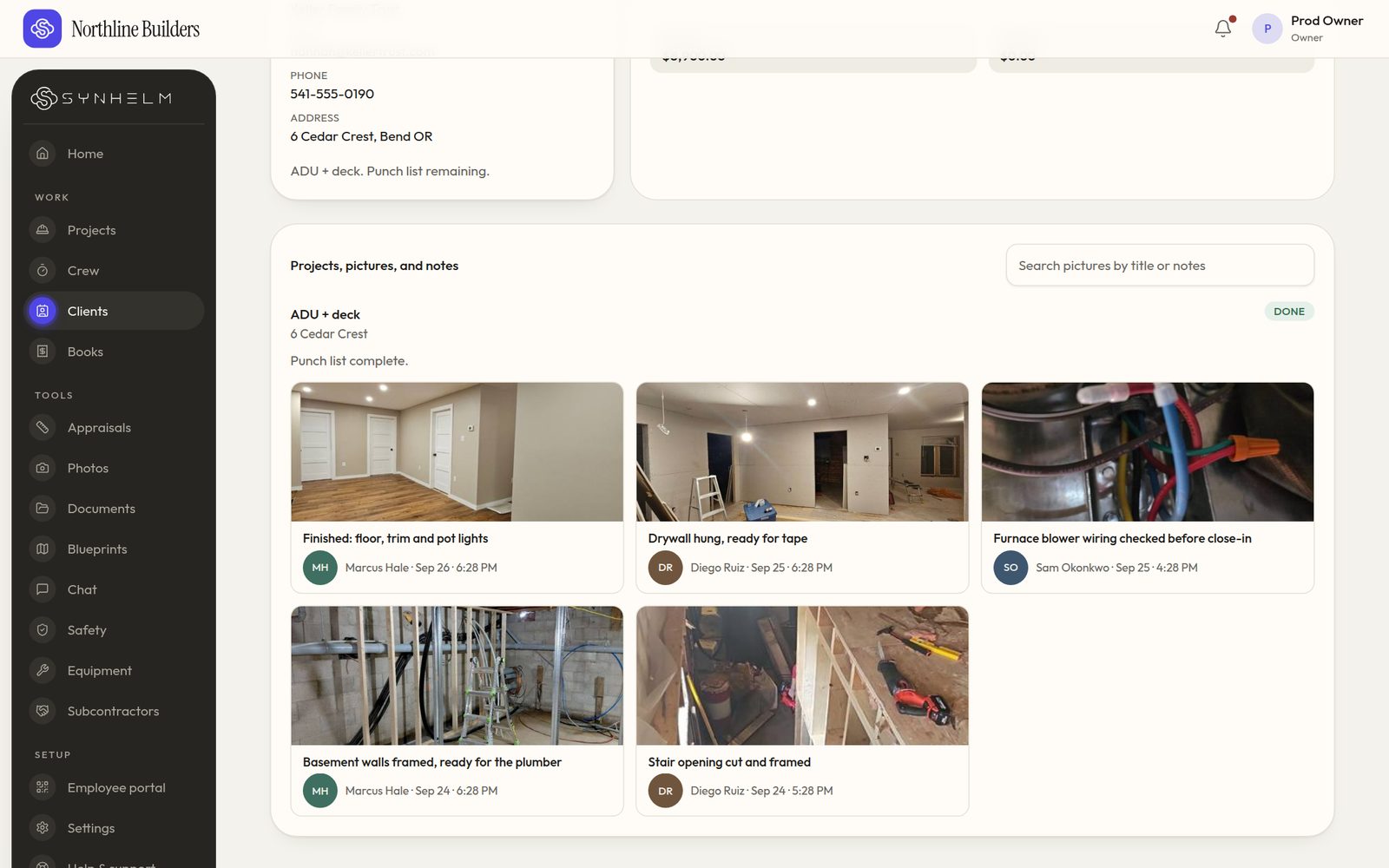
Every photo lands on the client fileFraming to finish, with who took each photo and when. 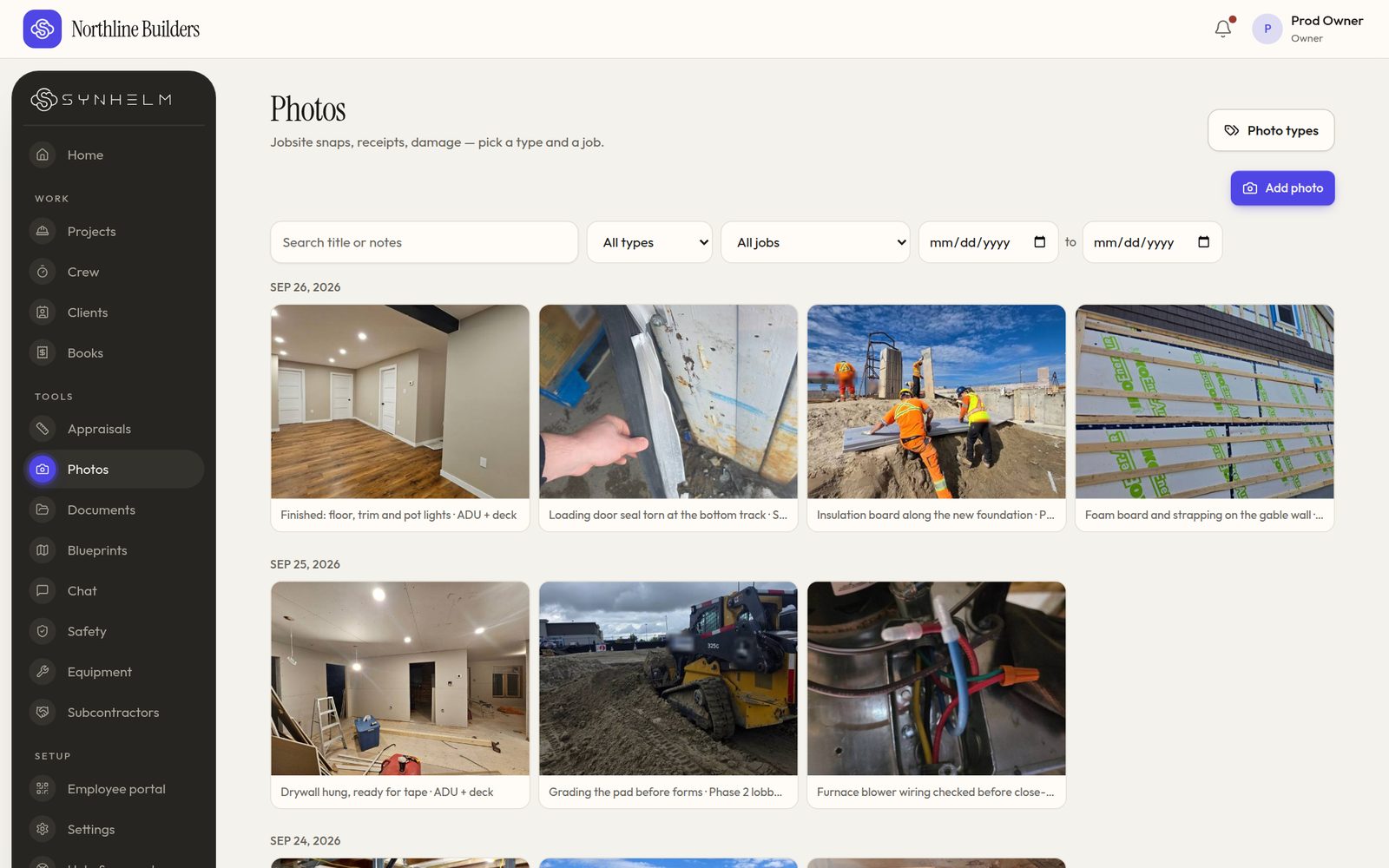
Photos by day, type and jobSearch, filter by job or type, and pick a date range. 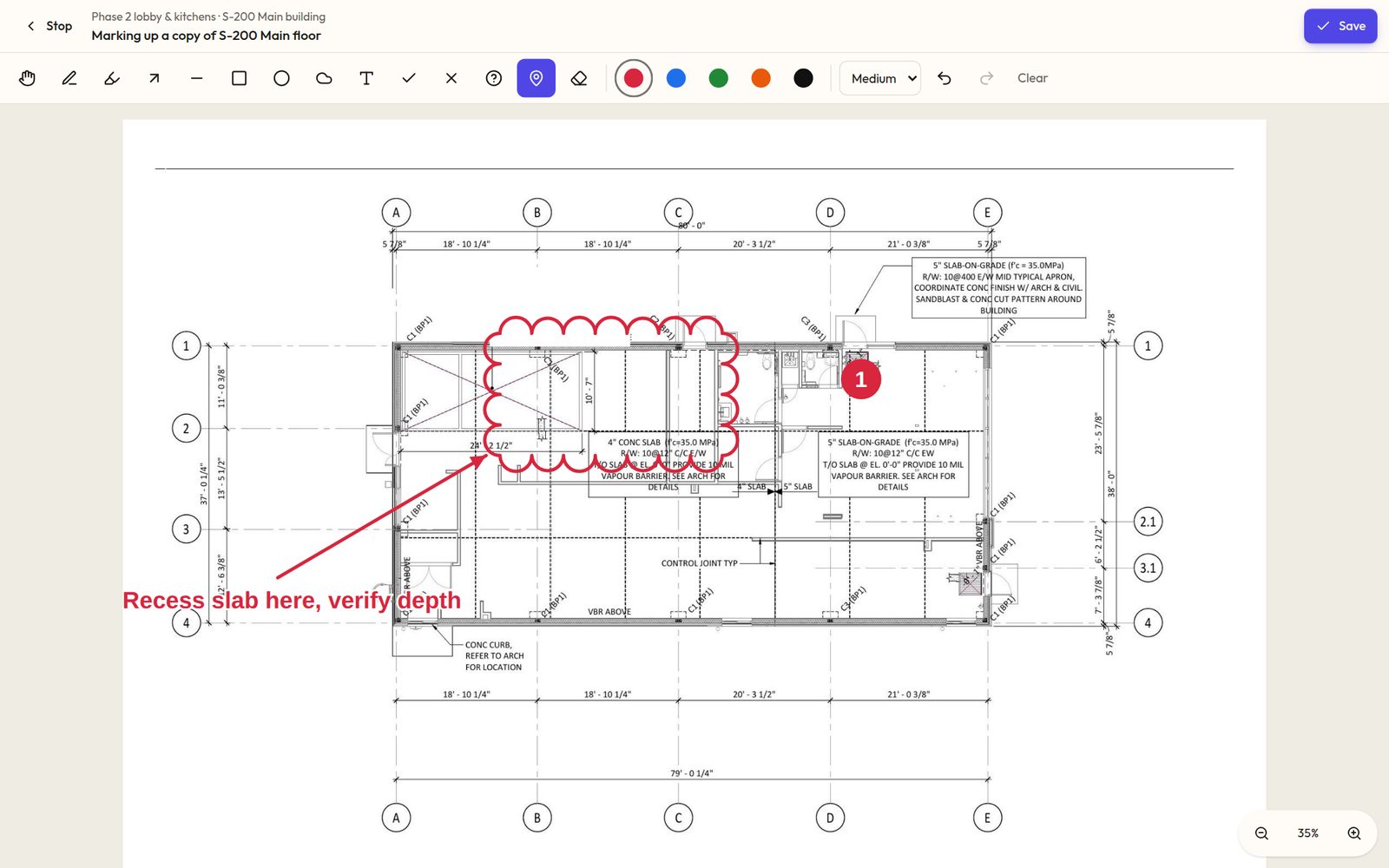
Mark up a copy, never the sheetClouds, arrows, pins and notes, drawn on a copy of the sheet. 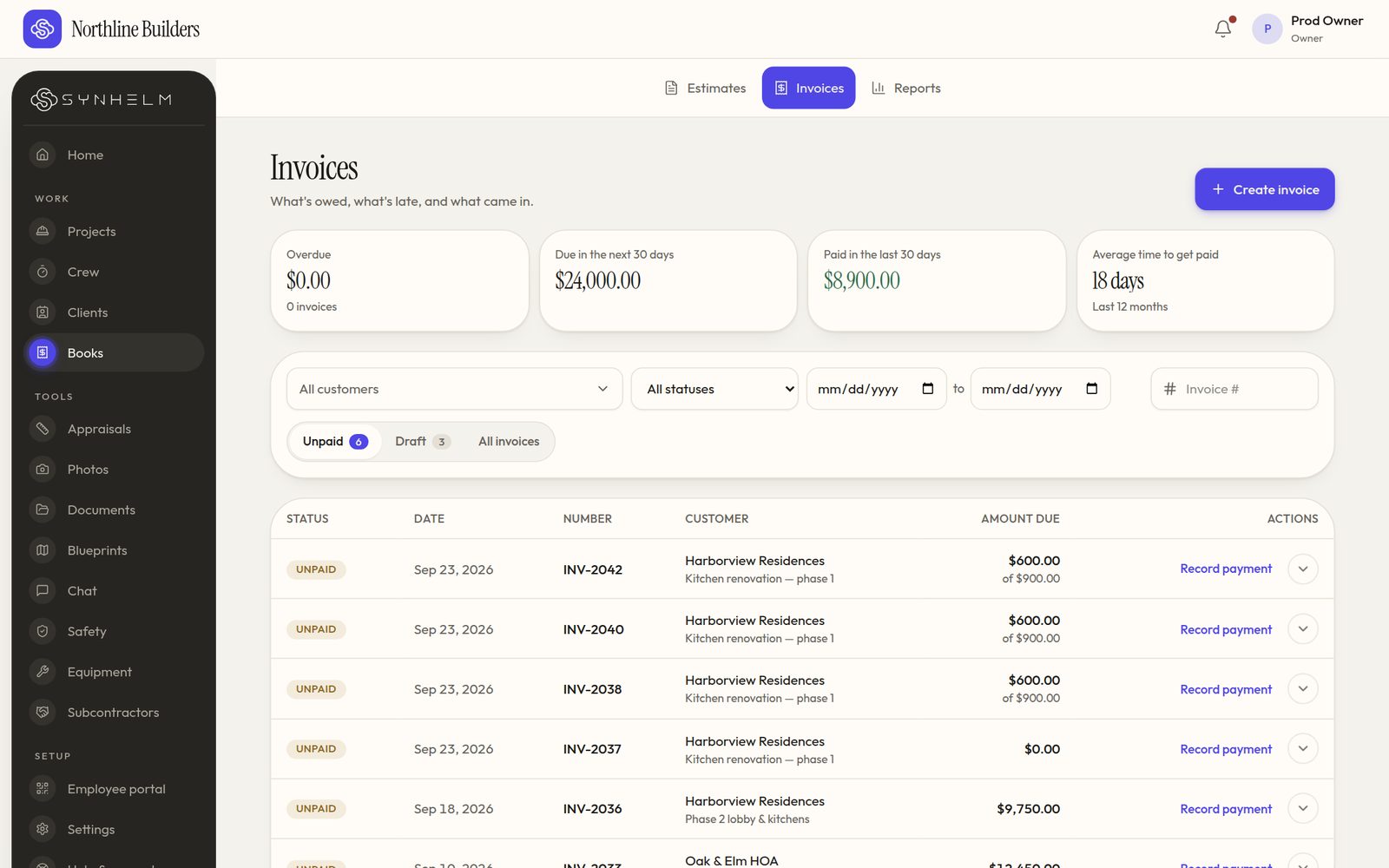
Know what's owed at a glanceOverdue, due soon, paid, and the next step on every row. 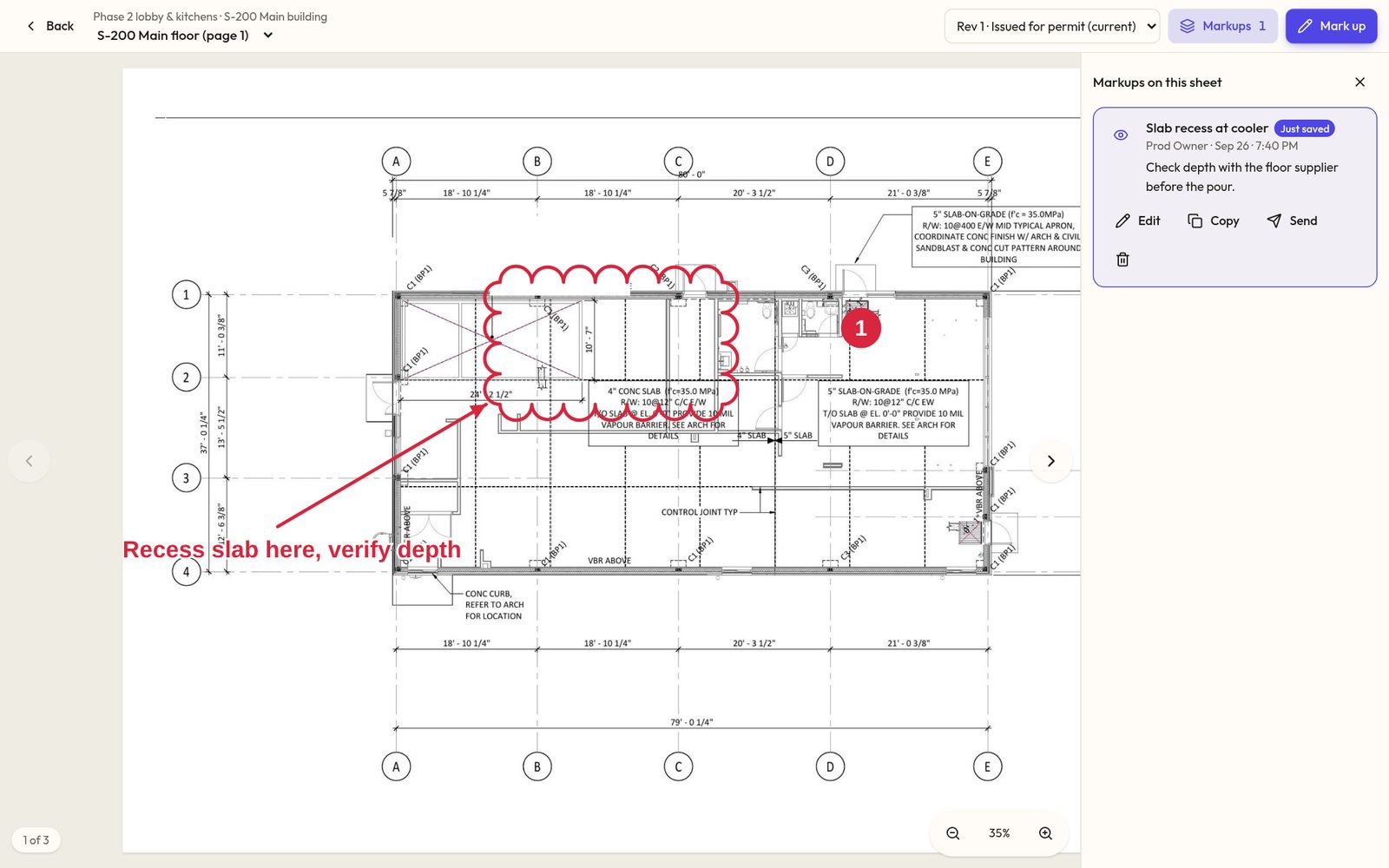
Saved where you can find itMarkups list beside the sheet, ready to send to the crew or the architect. 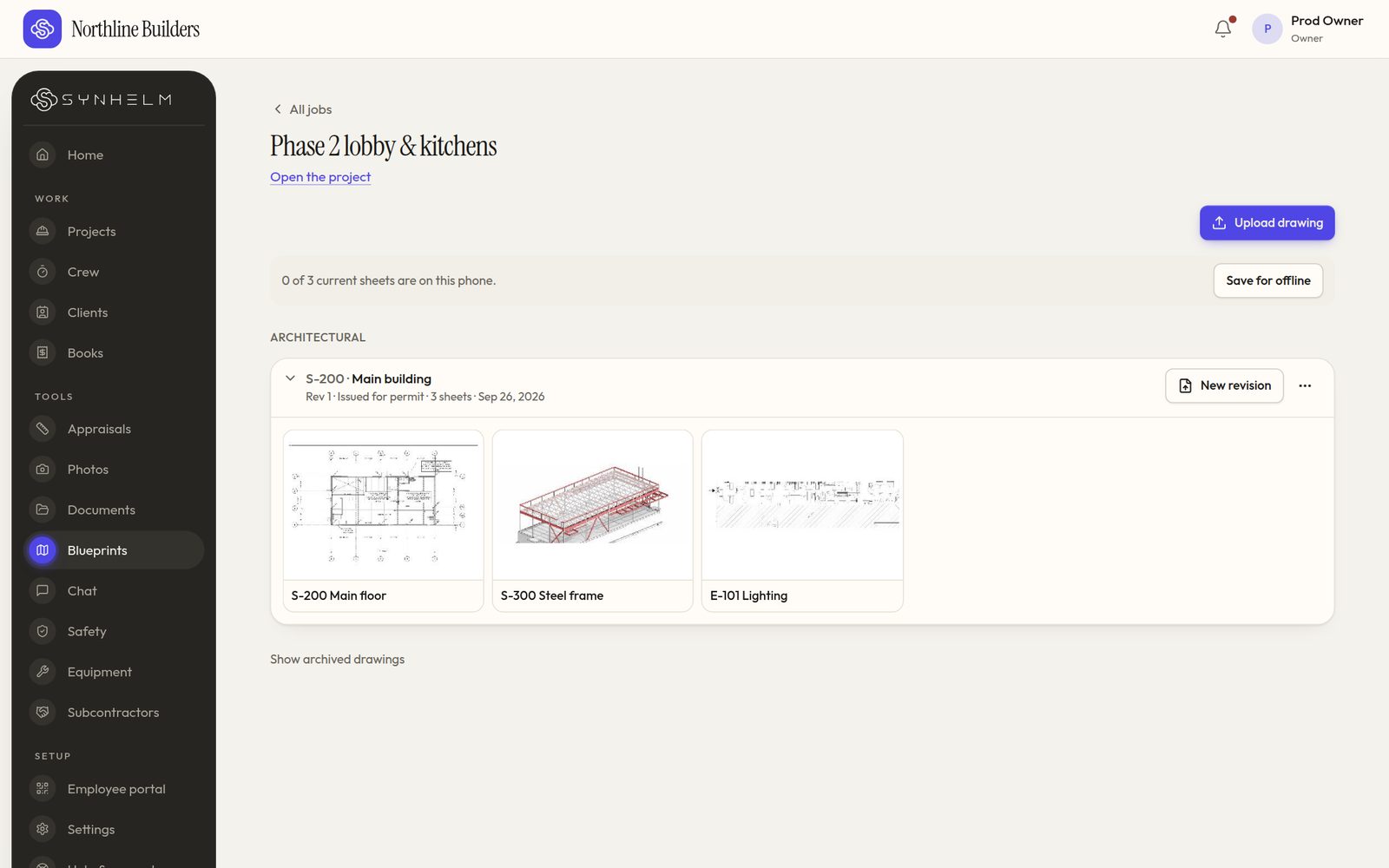
Every drawing set, one tap awayEach set folds into one line per job. Tap it to see the sheets.
Run your water & fire restoration business from one app.
Set up your shop in a few minutes. Add your logo, your crew, and your first job — the rest follows the job.