Construction time tracking your crew will actually use.
Synhelm is a time clock built for job sites: crew open one link on their phone, tap their name, enter a PIN and clock in to the job. Hours land on the job and the client, ready for timesheets and payroll.
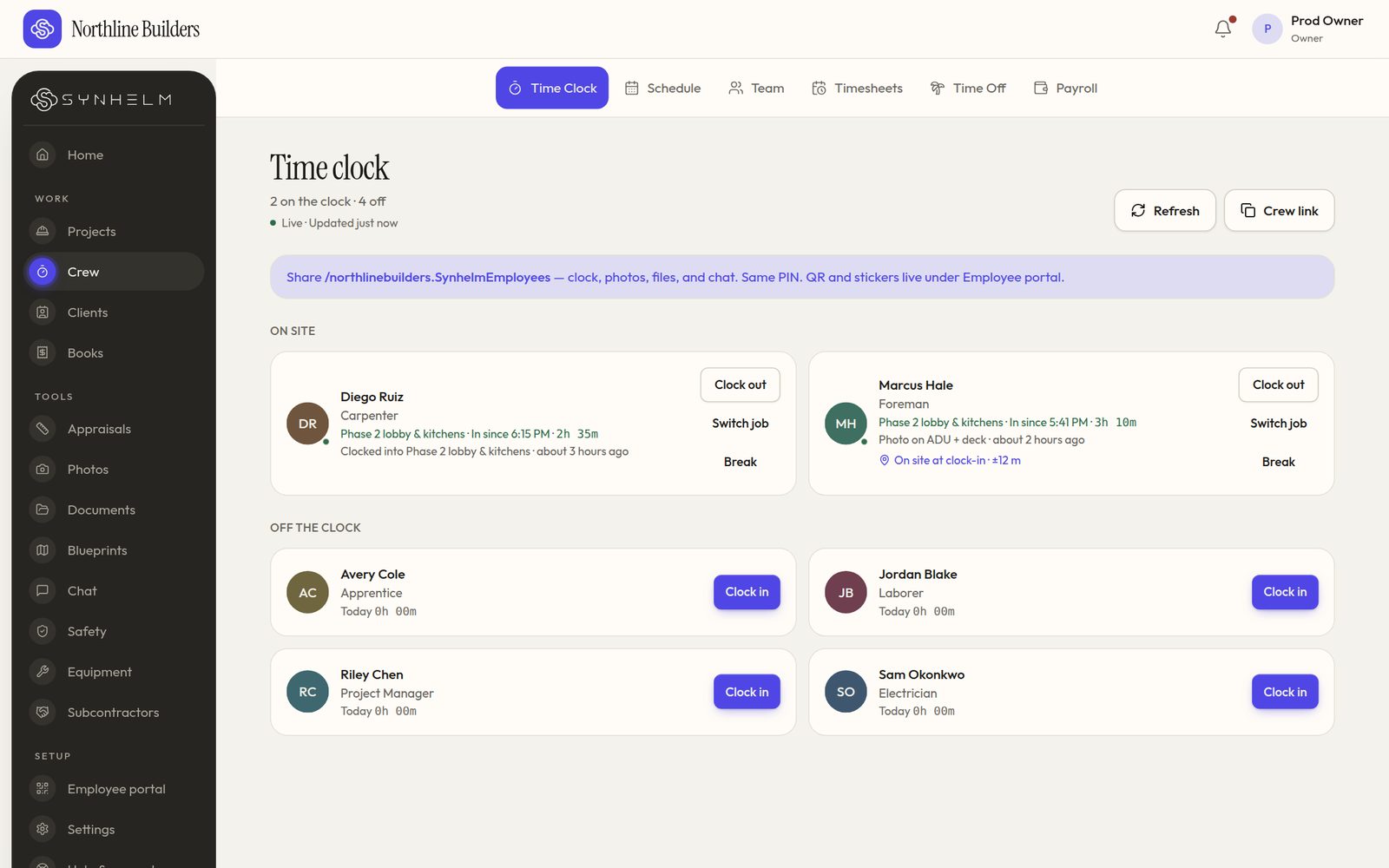
Who's on site now, on which job, and for how long.
The problem: hours that don't match the jobs
Paper timesheets come in late and wrong, and general-purpose time apps don't know which job a person was on. Asking every crew member to download an app and remember a password rarely works.
How Synhelm handles it
Crew clock in to a job, switch jobs, take breaks and clock out with big buttons. With no signal, punches wait on the phone and send when it reconnects, stamped with the time they were tapped.
The office sees who is on site now and on which job, and timesheets group hours by job, client and site.
What you get
PIN sign-in on any phone
One shop link or QR code. No app store, no crew email.
Clock in to the job
Switch jobs and take breaks; hours land on the job and client.
Safety at clock-in
Your safety sheet before the first punch and at every job change.
Timesheets
Month calendar, date ranges, hours by client and site, CSV export.
Works offline
Punches wait on the phone with no signal, then send.
Location stamp and live boardPro
A location stamp at clock-in and out when allowed, and a live crew board.
Time-change and missed-break requestsPro
Crew ask; you approve. Long-shift reminders and auto clock-out.
Who it's for: Contractors and field-service companies paying crews by the hour who want hours tied to jobs without chasing paper.
Questions
- Does it track my crew's location all day?
- No. When turned on (Synhelm Pro), the phone stamps a location only at clock-in, clock-out and on photos, and only if the crew member allows it.
- What if there's no signal on site?
- Punches and photos are saved on the phone and sent when it reconnects. The punch keeps the time it was tapped.
- Can I export hours for payroll?
- Yes. Timesheets export as CSV, with overtime split if you set a daily cap. Enterprise adds pay periods and a payroll export.
How it connects to the rest of Synhelm
One job, everything attached. Each part below works on the same job.
Built because we needed it. Now it's yours.
Set up your shop in a few minutes. Add your logo, your crew, and your first job — the rest follows the job.